
QR code clocking in for businesses: time tracking with no hardware or installation
Discover Kinmu's QR code clocking in for businesses: your team clocks in by scanning a code with their phone, with no hardware and no installation.
Benefits
- Your team clocks in by scanning a QR code with their phone, with no app to download
- No physical readers and no cards: you print the code and start today
- Every clock-in is saved instantly on the server with its exact time
- It also works for remote work and for teams out on the road
- You set it up yourself from the web in minutes, with no technicians and no installation
How many times have you thought that keeping track of your team’s hours ought to be simpler? You set up a spreadsheet, someone forgets to write down the time, another person fills it in on Friday from memory and, at the end of the month, you spend whole afternoons reconciling numbers that do not add up. If that sounds familiar, you are far from alone: we see it every day in the businesses that come to Kinmu looking for a way to clock in that works from day one. And nearly always with the same underlying request: make it easy, make it fast, and do not make me buy devices or depend on anyone.
QR code clocking in for businesses came out of exactly that need. It is an attendance method where each person records their arrival and departure by scanning a code with their phone. No expensive readers, no cards to lose, no installation that depends on a technician. You print the code for your site, stick it up at the entrance and your team can start clocking in.
What QR code clocking in for businesses is
QR code clocking in for businesses is a very direct attendance system: each employee records their arrival and departure by scanning a QR code with their phone camera. There is no need to fit a physical reader on the wall, hand out cards or ask your team to download an app. The code holds your site’s information and, when it is scanned, the clock-in is confirmed within seconds.
What we like most about this method is how little it asks for in return for what it gives. You generate the code from your panel, print it or show it on a screen and it is ready. That simplicity is exactly what a small business needs to get going without long projects or a hardware budget. You start today and tomorrow you already have your first records in order, without having moved a single cable.
How QR clocking in works, step by step
Kinmu’s QR clocking in is designed so that anyone, whatever their age or comfort with technology, can clock in without help.
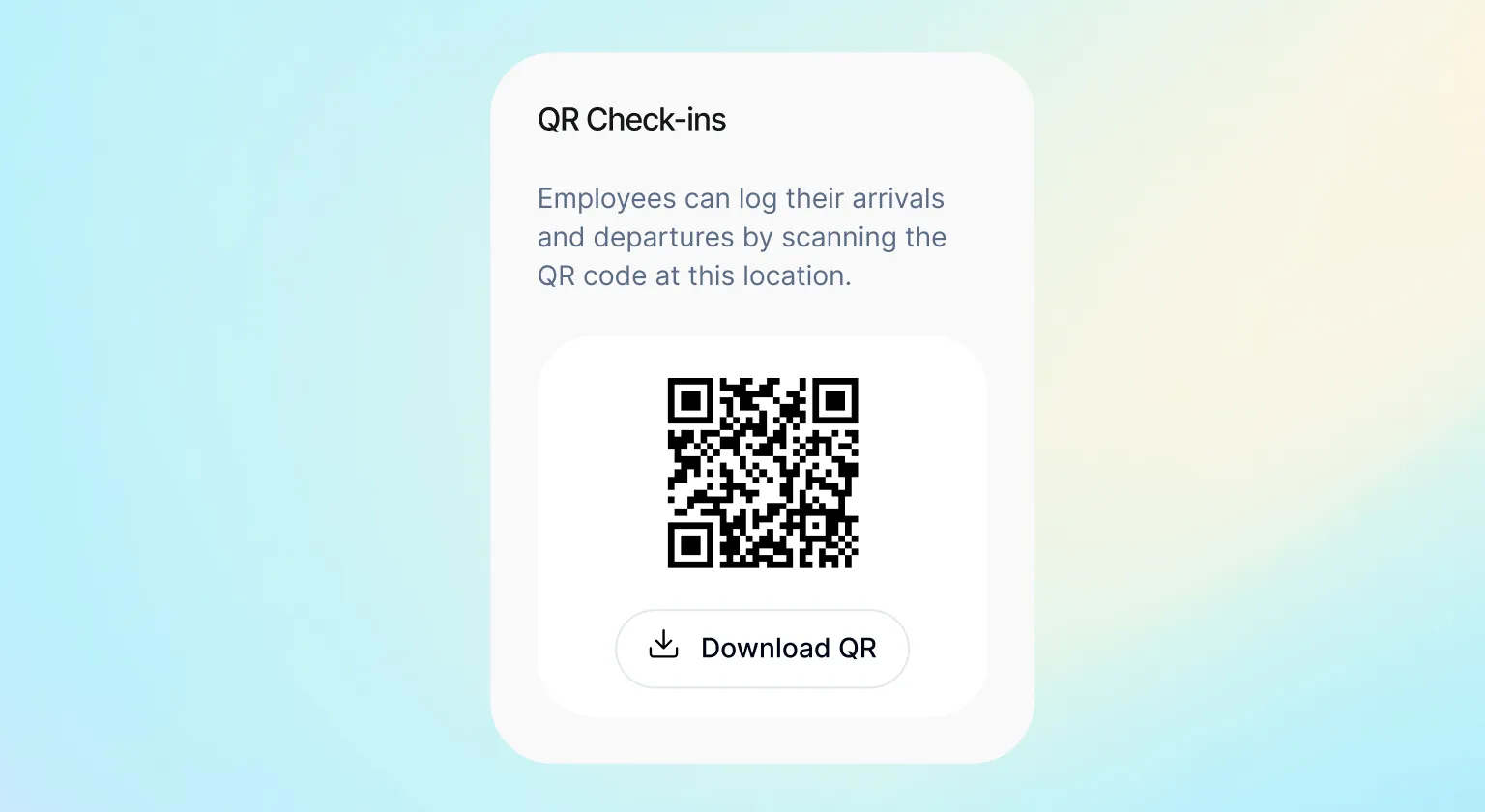
It all starts from your admin profile. Each of your company’s locations has its own unique QR code, which you generate with a couple of clicks. You download it, print it and put it up at the entrance or wherever makes most sense for your day-to-day. That is, literally, the whole installation: sticking a piece of paper on the wall.
When your employee arrives, they open the phone camera, point it at the code and confirm the clock-in in under ten seconds. The same gesture works to start the day, to finish it and to record the beginning or the end of a break. They do not need to download anything or remember passwords: scan, confirm and get on with the day.
Every scan is saved automatically on Kinmu’s server, with the exact time it happened. That data is tamper-evident: neither the person clocking in nor the person managing the team can change it later without leaving a trace in the audit history. That gives you records you can trust, because they reflect what happened exactly as it happened.
Remote work, sales teams and people off site
A very common question when we talk about QR clocking in is what happens to the people who are not in the office every day. Think of anyone working from home, the sales team going from visit to visit, or field roles working on site or at a client’s premises. We have an answer for them too, and it is just as convenient as scanning a code.
On remote days, the person clocks in straight from the Kinmu app, with no need for the physical code. The record works exactly as it does with the QR code: it is saved with its timestamp on the server and appears in real time in the panel of whoever coordinates the team. The experience is the same.
That flexibility is what lets us support businesses with very different realities. You can have part of the workforce at the site scanning the QR code at the entrance and, at the same time, sales people clocking in from the road with their phones. It all arrives in the same place, organised and visible, so you know where each person is without chasing anyone or trading messages.
And because the team calendar picks up that information, at a glance you see who is working, who is off and who is working remotely. That overall view saves you questions and gives you peace of mind, especially as you grow and there are more and more people to coordinate.
QR clocking in compared with biometric readers and cards
If you are weighing up your options, it helps to see QR clocking in next to other classic methods. Let us start with the biometric reader, the fingerprint or face device fitted to the wall. It works, yes, but it means buying hardware, installing it, maintaining it and depending on it not failing on your busiest day, which tends to be the worst possible moment.
The QR code saves you all of that. There is no device to buy or repair, and if you open a new site you simply generate another code. You also avoid the debate about biometric data, which is sensitive information and makes part of the workforce uneasy. With the QR code, each person uses their own phone, something they already carry everywhere and handle naturally.
The clocking-in card is the other great classic. On paper it looks convenient, until someone leaves theirs at home or loses it. Every new card means a cost and one more thing to administer. A phone, on the other hand, almost never gets left behind, and access to clocking in is personal, inside the person’s own Kinmu account.
QR clocking in gives you nearly all the advantages of a modern attendance system with the lowest possible investment.
QR clocking in compared with paper and spreadsheets
Plenty of businesses still clock in on paper or in a spreadsheet, and we understand why: it looks free and it is right there. But paper is filled in by hand, piles up in folders and, when you need one specific figure, you have to hunt for it page by page.
With the QR code, by contrast, every record arrives already digital and organised. There is nothing to type up afterwards and no rushed handwriting to decipher. The information is born ready to consult, which gives you back time you may currently be spending on tasks a tool can do for you effortlessly.
Spreadsheets are a step up, though they still depend on everyone writing things down correctly and nobody knocking a cell out of place. We have seen whole templates fall apart because of one badly copied row. QR clocking in removes that manual part: the server sets the time at the moment of the scan, the same way for everyone.
That leap, from a manual note to reliable data, is exactly what your business needs.
Where QR clocking in fits best, and what to use instead
QR clocking in is a particularly good fit in certain situations. We are thinking of shops and stores with a counter by the door, workshops and production spaces, small offices, clinics or any business with one or several fixed sites the team passes through. In all of them, putting a code by the door solves clocking in without complicating the daily routine.
It also works very well where there is staff turnover or seasonal peaks, because getting someone new started does not mean handing them any device. They arrive, they scan, they begin. That speed is worth a great deal in sectors such as hospitality, retail and services, where new people can join the team any day and set-up time really counts.
That said, we know not every business wants the same method. If the QR code does not quite convince you, Kinmu has alternatives that are just as convenient. You can clock in from the app or the web, and you can also set up a digital kiosk on a fixed tablet that acts as a clock-in point for the whole team. The underlying idea is always the same: the tool adapts to your business, not the other way round.
Digital time tracking and where to start
Digital time tracking has become a natural part of how businesses work. More and more of them, large and small, keep track of their team’s hours, and paper is giving way to methods like QR clocking in, which are faster, tidier and far easier to look through when you need to.
Behind that shift is a simple, healthy idea: when hours are clear to everyone, there are fewer misunderstandings and more trust. Your team knows their time is recorded properly and you have a true picture of what happens each day. Far from creating tension, that transparency usually improves the atmosphere and brings order to your relationship with your team.
At Kinmu we want that step to be as painless as possible. That is why QR clocking in is set up from the web in a matter of minutes, with no technicians, and runs on a monthly subscription you can cancel whenever you like. You try it, you show it to your team and you decide with the data in front of you, with no strings and no big commitments ahead.
Frequently Asked Questions
What is QR code clocking in for businesses?
It is an attendance method where each employee records their arrival and departure by scanning a QR code with their phone. You do not need physical readers or cards, and your team does not download any app. You print the code for your site and start clocking in the same day.
Do I need to install hardware or readers to clock in with a QR code?
No. QR code clocking in does not require any device on the wall or any technical installation. You generate the code from your admin panel, print it and put it up at the entrance. That is the whole set-up your team needs to start clocking in.
Do my employees have to download an app to use the QR code?
To clock in with the QR code there is nothing to download: they just open the phone camera and scan. They may or may not have the Kinmu app installed. If they do not, the clock-in happens in the phone's browser.
How do I generate my company's QR code?
From your admin profile in Kinmu. Each location has its own unique code, which you create with a couple of clicks. You download it, print it and put it wherever suits you best. If you open a new site, you simply generate another code. You can generate as many codes as you need at no extra cost.
How long does it take to clock in with the QR code?
Less than ten seconds. The employee opens the camera, points it at the code and confirms. The same gesture works to start the day, to finish it or to record the beginning and the end of a break, with no passwords to remember and no forms to fill in.
Can a clock-in be edited afterwards?
Every record is saved on the server with its exact time. The employee can edit it later, which happens when someone forgets to clock out, for example, but that change leaves a trace in the audit history. That way the data reflects what really happened.
How do people who work remotely or off site clock in?
They clock in straight from the Kinmu app or the web, with no need for the physical code. The record works exactly as it does with the QR code: it is saved with its timestamp on the server and appears in the manager's panel in real time, wherever the person happens to be.
What kind of businesses is QR clocking in ideal for?
It fits shops, workshops, small offices, clinics and any business with fixed sites the team passes through. It also suits sectors with staff turnover or busy peaks, such as hospitality and retail, where getting someone new started is as easy as telling them to scan.
What if someone would rather not clock in with the QR code?
Kinmu gives you alternatives that are just as convenient. You can clock in from the app or the web, ideal for people on the move, or set up a digital kiosk in seconds with a tablet or a phone by the entrance. The idea is that you choose the method that suits your business best.
Can I see clock-ins in real time?
Yes. Every scan reaches your panel instantly, and the team calendar shows you at a glance who is working, who is off and who is working remotely. You get a true picture of the day without chasing anyone or trading messages.


