
Full visibility of your team's hours
The time tracking app that makes everything simpler
Manage time tracking, time off, and absences in one simple tool. See exactly what your team is working on, save hours every week, and only pay for the employees you have.


Real value for your business
With
everything
you need
and nothing you don't
Two-second clock-ins, zero hassle
With Kinmu, logging clock-ins, clock-outs, and breaks is as easy as scanning a QR code with your phone or clicking a button in your browser.


All in one place, nothing falls through the cracks
All your team's requests live in one app, visible to everyone involved, with a full trail of what changed and when.


All your data, ready to download just in one click
Whether it's for your accountant, an audit, or your own peace of mind — the data you need is always one click away.
Stay organized by knowing where everyone is, without asking
“Where's Sarah today?” “Who's working from home this Friday?”... Knowing where each person on your team is — without digging through three different docs — is priceless. With Kinmu, you get a shared calendar where everyone can see, at a glance, who's in the office, who's working remotely, and who's out. No more questions.


Made for Main Street
Built for businesses with big plans and lean teams
Restaurants, salons, retail shops, clinics, agencies, studios... small teams chasing big goals every day. Kinmu is built for them. Simple to set up, easy to use, and priced so growing a business doesn't have to mean fighting your tools.


Restaurants & cafés
Salons & wellness
Retail & shops
Agencies & studios
Keep it simple
Up and
running
in a heartbeat.
No extra work for your team
No consultants. No months-long rollouts. Add your team, set up work schedules, and you're good to go. You'll have it ready in an afternoon. And your team will pick it up in seconds.
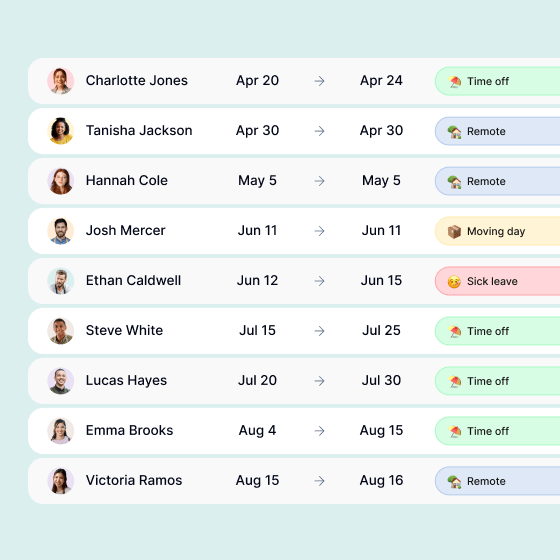
Keep all your requests in one place
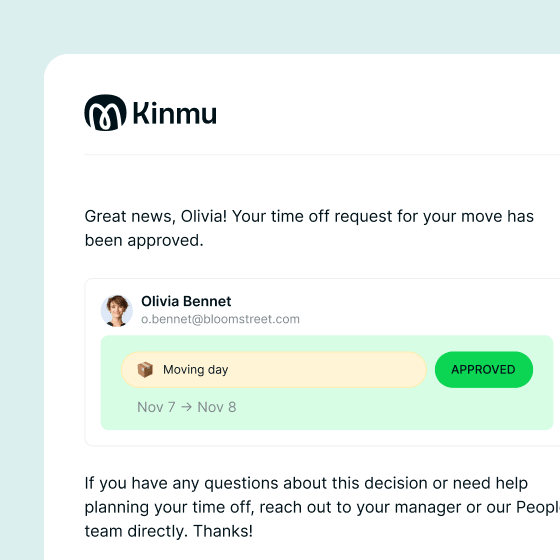
With real-time notifications
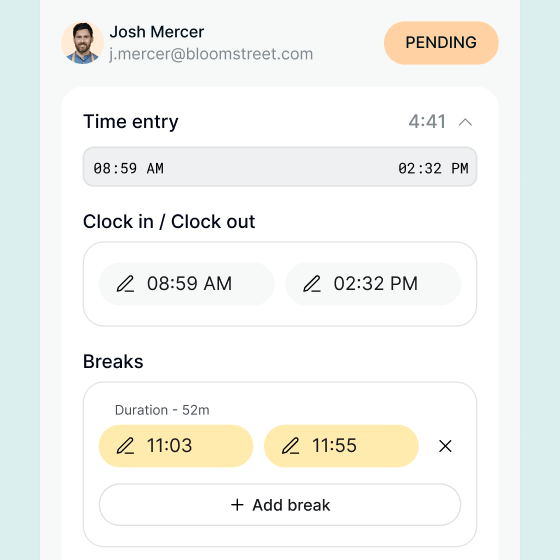
Editable records, with a full trail
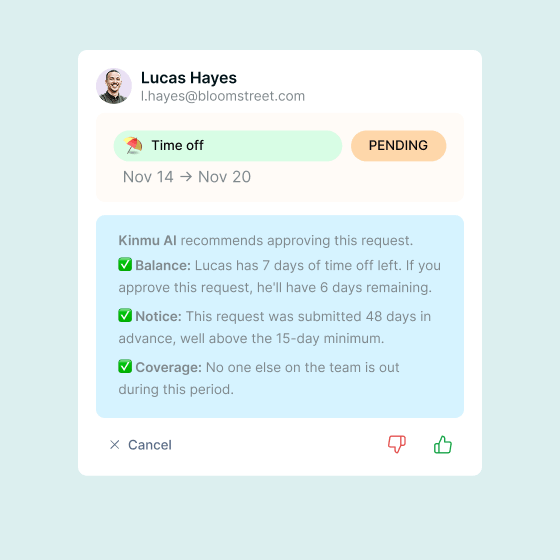
With AI to help review every request
Fully customizable
The tool that fits your business. Not the other way around
A coffee shop isn't a bookstore. And your bookstore isn't the one down the block. Every business is different, and Kinmu works with all of them. Configure it around how your team actually works, not how a software vendor thinks you should.


Smart features
An
AI
assistant
that works for everyone
Managing a team or part of one? Either way, just ask Kinmu and you'll get the answer in seconds, without ever leaving the app.
If you manage a team
Stop asking around. Start knowing
“Has Marcus clocked in yet?” “What time does Sarah start tomorrow?”... Set up alerts in the chat and get notified when something matters — without keeping an eye on the app.
Got it 🔔 I'll send you a notification as soon as Marcus clocks in today.
Sarah, Olivia, Megan and Tyler are in the office today. Marcus is the only one still on his way in.
If you're on the team
No more emails to HR for simple stuff
“How many vacation days do I have left?” “What holidays do we have in December?”... Ask anything about your time from the chat and get instant answers.
You currently have 12 vacation days left ⛱️ Want to request some dates? Just so you know, these days are already taken: • Megan: Dec 19 and Dec 26. • Tyler: Jan 6.
Pay as you go
All-in pricing that actually makes sense for your business
With Kinmu you pay per active employee, month to month, and cancel whenever you want. No contracts, no setup fees and no tiered plans, because your subscription gives you full access to every feature from day one. And the admin account, always free.
No plans. No tiers. No surprises
- Unlimited time tracking (QR, web, mobile)
- Full team calendar
- Requests and approvals
- AI chat
- AI-proposed policy setup
- Excel exports
- Available in 9 languages
- No hidden fees
- Monthly billing
- Cancel anytime
- First user always free
No credit card required


Got questions?
Questions you might be asking about time tracking
What is digital time tracking?
Digital time tracking is the practice of recording when employees start and end their workday, take breaks, and request time off — all through a digital tool instead of paper logs, spreadsheets, or punch cards. It gives employers a reliable record of work hours and gives employees a clear view of their own schedule and balances.
Why do businesses use time tracking software?
Businesses use time tracking software for a mix of reasons: to make payroll easier and more accurate, to manage schedules and time off without spreadsheets, to understand how teams spend their time, and to keep clean records in case of audits or disputes. Modern tools also reduce the back-and-forth between managers, HR, and employees, freeing up everyone’s day.
Is time tracking only for hourly workers?
Not at all. While time tracking is essential for hourly workers (where pay depends directly on hours worked), salaried teams also benefit from it. It helps balance workloads, prevent burnout, manage time off, document overtime, and give everyone visibility into team availability. Many modern businesses track hours for all employees, regardless of contract type.
Can my team clock in from anywhere?
Cloud-based time tracking apps such as Kinmu let employees clock in from a phone, a web browser, or by scanning a QR code at the workplace. This makes them ideal for hybrid teams, remote workers, multi-location businesses, and on-the-go workers like field technicians or delivery staff.
How does time tracking handle time off and absences?
Kinmu includes built-in time off management. Employees can request vacation, sick leave, personal days, or other absences directly from the app. Managers approve or decline with a click, and the system updates balances automatically. This eliminates spreadsheets, emails back and forth, and forgotten requests.
What's the difference between an app-based time tracking system and biometric systems?
They’re different generations of the same idea. Biometric systems (such as fingerprint scanners) and card-based systems were the standard for years, and they still work in many businesses. But they come with hardware costs, on-site installation, maintenance, and growing concerns around employee privacy and data protection. App-based systems like Kinmu do the same job through a phone, web browser, or QR code: no special hardware, no biometric data collected, no privacy risk. Easier to roll out, work for remote and hybrid teams, and adapt to any size of business. For small and mid-sized businesses today, an app is the simpler and more flexible choice.
Is digital time tracking secure?
Yes, it is — at least with the right provider. Kinmu uses industry-standard encryption to protect data in transit and at rest, stores information on secure servers, and backs it up regularly. Your team’s data should never be shared with third parties, and you should be able to export or delete it whenever you want.
What's the difference between time tracking and timesheets?
They’re related but not the same. Time tracking is the act of recording hours as they happen — clock in, clock out, breaks. Timesheets are the documents (digital or paper) where those hours are recorded and summarized. Kinmu combines both: employees clock in in real time, and the system automatically generates clean, ready-to-use timesheets for payroll or reporting.
Can employees edit their own time entries?
Kinmu lets employees submit edits or corrections — for example, when they forget to clock in or out — but managers have to approve those changes. Kinmu keeps a full record of edits and approvals as well, so there’s always a clear history of who changed what and when. This protects both employers and employees.
Does time tracking really save time?
Counterintuitively, yes. Even though it adds a small task (clocking in/out), time tracking tools replace several others: spreadsheets, emails for time-off requests, manual payroll calculations, schedule documents, and the constant “where is everyone?” questions. For most small teams, the time saved on admin far outweighs the seconds spent clocking in.
What should I look for in a time tracking tool?
Few things are worth checking: how quickly your team can adopt it (good tools take minutes, not weeks), whether it adapts to your schedules (not the other way around), how transparent the pricing is (no hidden fees, no long contracts), how easy it is to clock in from anywhere, and how it handles time off requests.