
Absence Management Software for Teams
Request, approve, and track time off from a single panel. No spreadsheets, no missed requests, no information gaps.
Benefits
- One-click absence requests from mobile or web
- Instant manager approval with notifications
- Team visibility in the shared calendar
- Supported types: vacation, remote work, personal leave, and more
- Full audit history, exportable for HR
- Configurable company policies per absence type
Absence management is the process of requesting, approving, and tracking employee time off — vacations, sick leave, remote work days, and other types of leave. When managed manually through email, WhatsApp, or spreadsheets, it creates errors, information gaps, and friction. Kinmu centralizes everything in one panel, accessible from mobile or desktop.
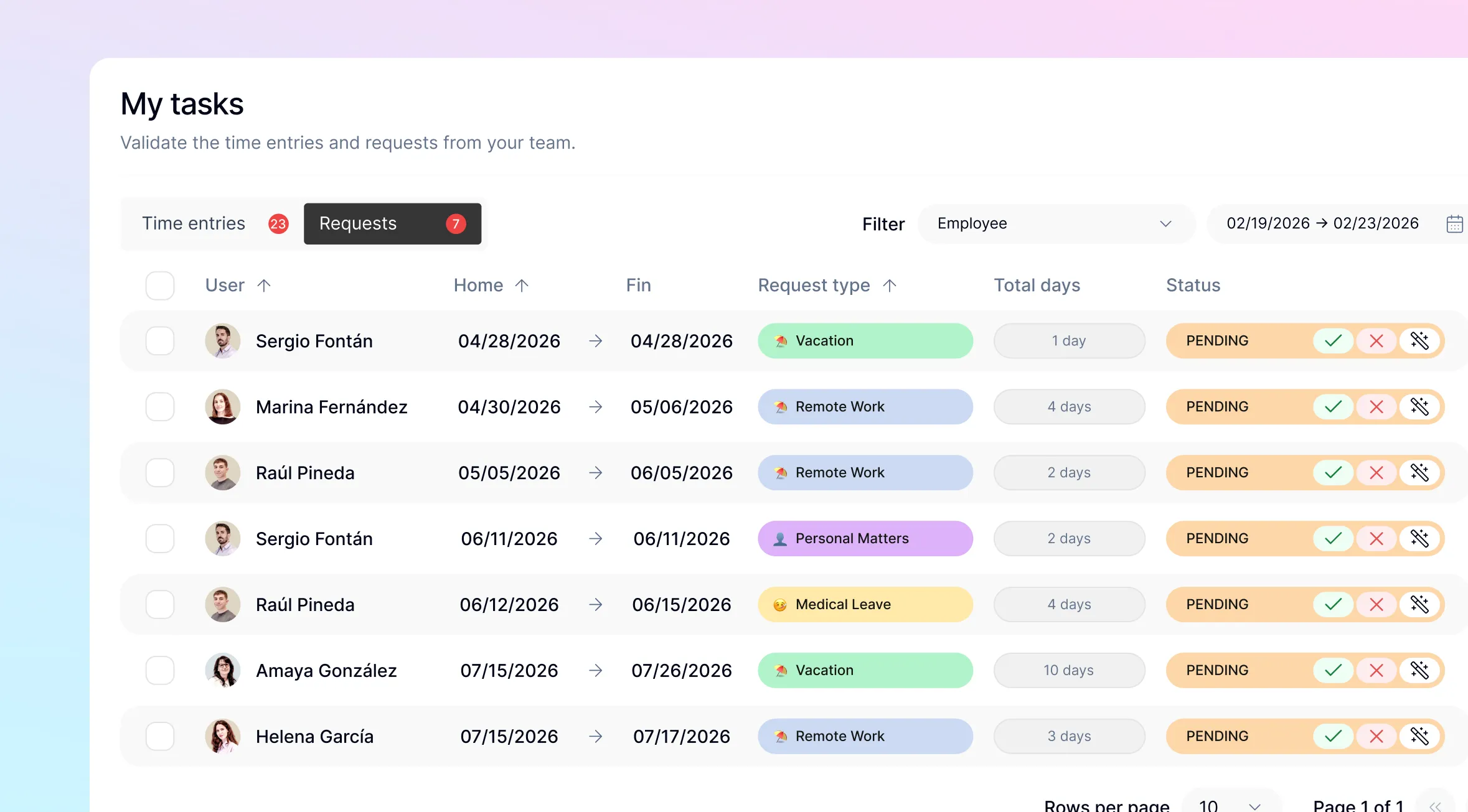
Types of absences supported
- Vacation / holidays — request flow with manager approval and company policy validation
- Remote work — log a remote working day, with optional location
- Personal leave — a day or half-day for personal matters
- Sick leave — track and record the leave period
- Other absences — uncategorized leave that requires manager approval
Each type follows its own workflow. Some are automatically approved (like remote work, if company policy allows), while others go through the manager before being confirmed.
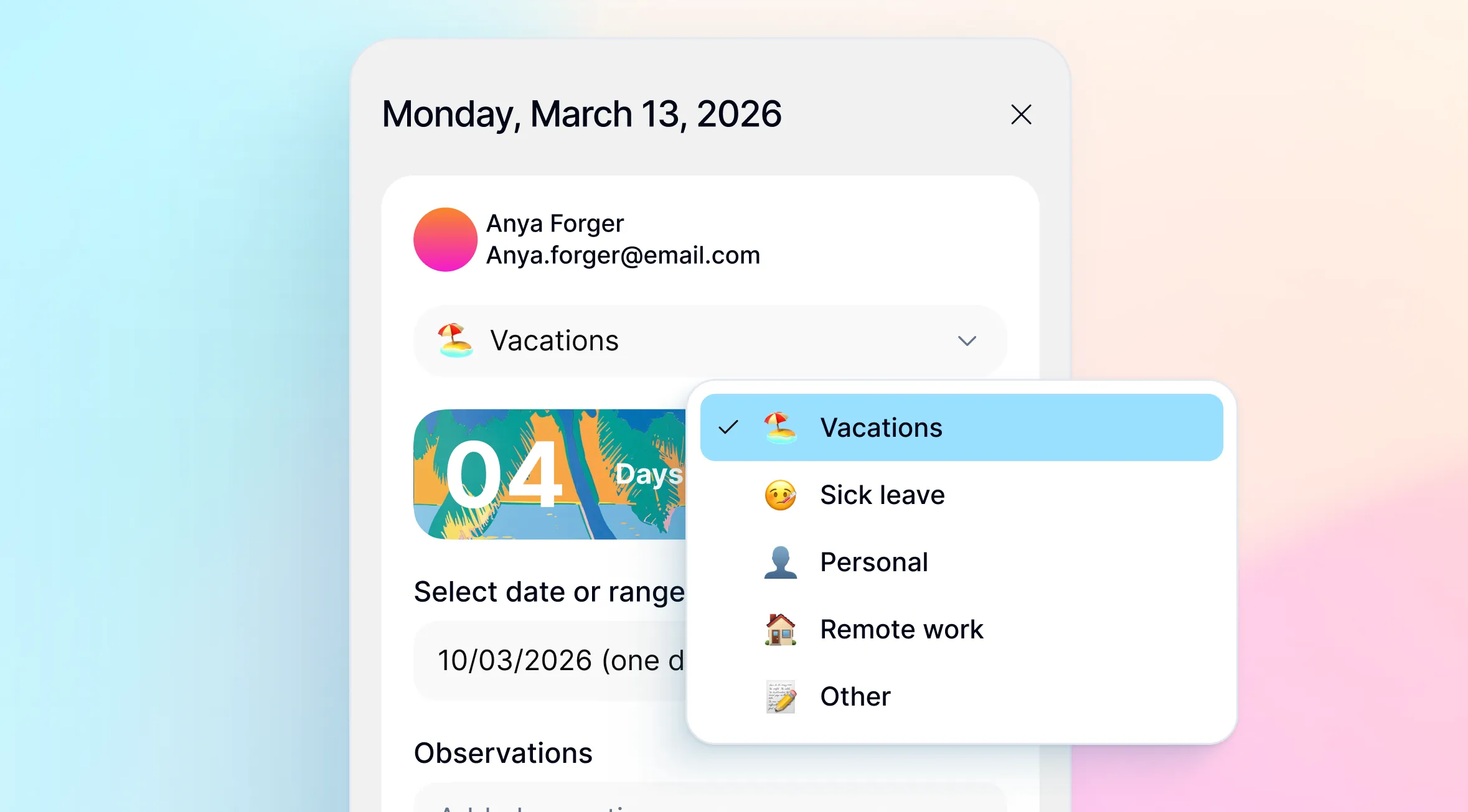
How the request flow works
The employee opens Kinmu on their phone or browser, selects the type of absence, picks the dates, and submits — done in under 30 seconds. The manager receives an instant notification and can approve or decline with a comment. Once approved, the absence appears automatically in the team calendar.
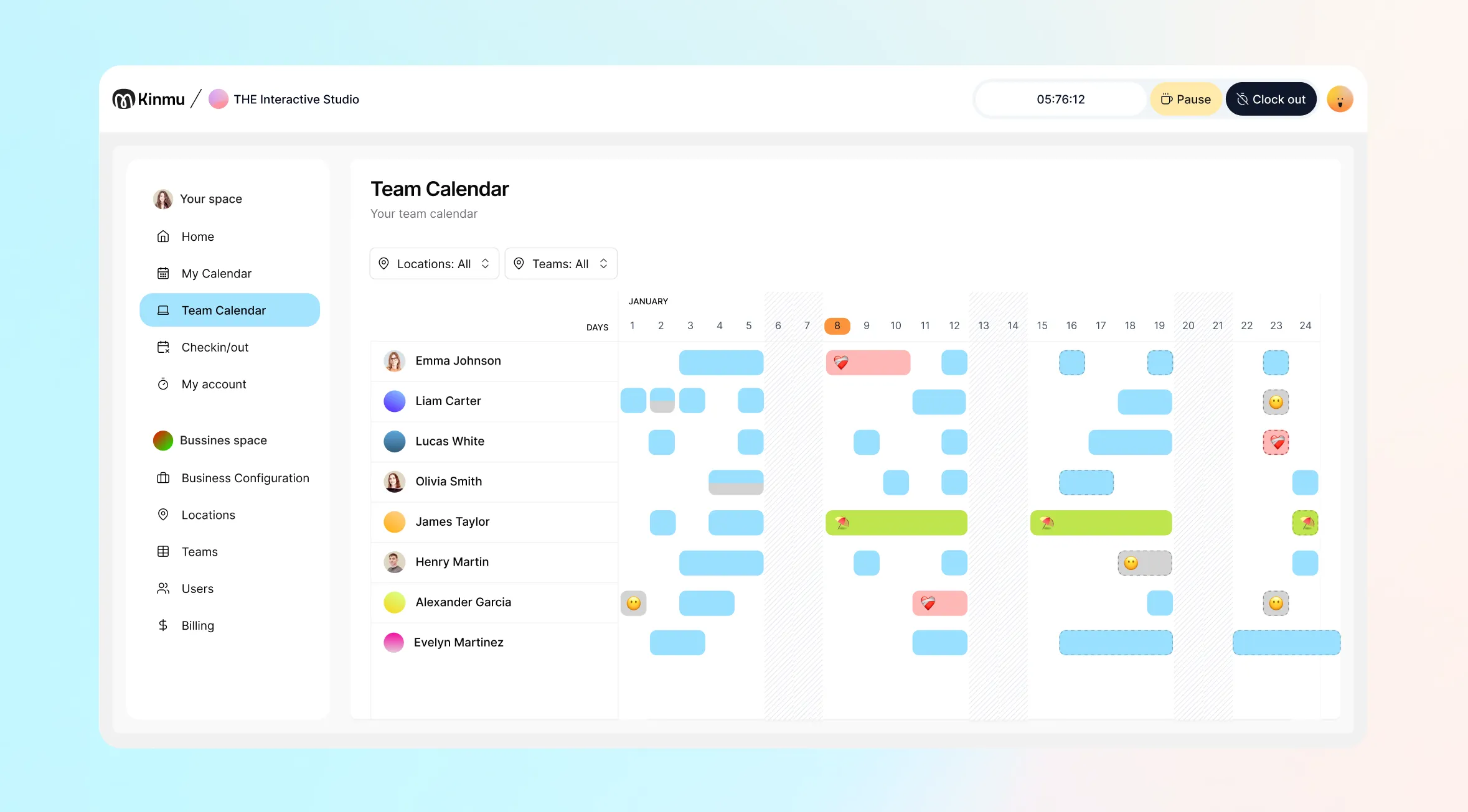
Real-time team visibility
Kinmu’s team calendar shows all approved absences in a monthly view. Managers can see at a glance who’s available, who’s on holiday, and where scheduling conflicts might arise — without asking or consolidating spreadsheets.
Why spreadsheets don’t scale for absence management
- No audit trail — no record of who approved what or when
- No notifications — someone has to manually inform everyone
- No team visibility — every manager keeps their own file, no one has the full picture
- Calculation errors — duplicate entries, public holidays not deducted, incorrect balances
- No mobile access — employees can’t check their leave balance from their phone
Configurable company policies
Kinmu lets you define the rules for each type of leave: maximum days per year, minimum advance notice, automatic vs. manager approval, and maximum simultaneous absences per team. When a request doesn’t meet the configured policy, Kinmu flags it before it reaches the manager.
Common use cases
Teams of 10–50 people across multiple locations: Each site manager approves absences for their team. The HR director has a global view from a single dashboard.
Hybrid remote teams: Employees log their remote working days the same way they’d request vacation. The manager can see in the team calendar who’s in the office on any given day.
Growing startups: Kinmu lets you start with a proper process from day one — one that scales without friction.
Integration with time tracking
Absence management is fully integrated with Kinmu’s time tracking. When an employee is on vacation or leave, Kinmu reflects this automatically in their attendance record. No double entry, no end-of-month reconciliation.
FAQ
Can employees see their available leave balance? Yes, real-time access from the app.
Does the manager get notified of pending requests? Yes, instantly, plus a pending requests view in their dashboard.
Can different policies be set per team or location? Yes, configurable at company, location, or org unit level.
What if two people request leave on the same dates? Kinmu detects overlaps and can automatically block the request.
See also: Time Tracking in Kinmu


