New feature
More flexible QR clock-ins
We are continuing to improve QR clock-ins, giving you more flexibility to adapt them to your company’s workplaces and teams.

Features, improvements, fixes & more.
Follow every step we take to build an even better product
We are continuing to improve QR clock-ins, giving you more flexibility to adapt them to your company’s workplaces and teams.
Absence requests, approvals and cancellations now give you clearer information and more precise responses, whether you manage a team or submit a request.
We've expanded and refined the multilingual experience so you can create events, understand periods and receive clearer messages in your team's language.
Your team can now clock in and out by QR code or kiosk more comfortably in shared workspaces.
When you scan the QR again during an active shift, you can now pause, resume, or clock out from a clearer, easier action screen.
We have improved absence request, approval and cancellation flows so managers and employees get clearer information and more precise responses.
We have refined how time bank movements are displayed and managed, making the history easier to understand.
Companies can now configure how night hours are calculated, with a clearer experience for teams and managers.
We have improved QR and kiosk clock-ins so teams can record starts and finishes more comfortably in shared workspaces.
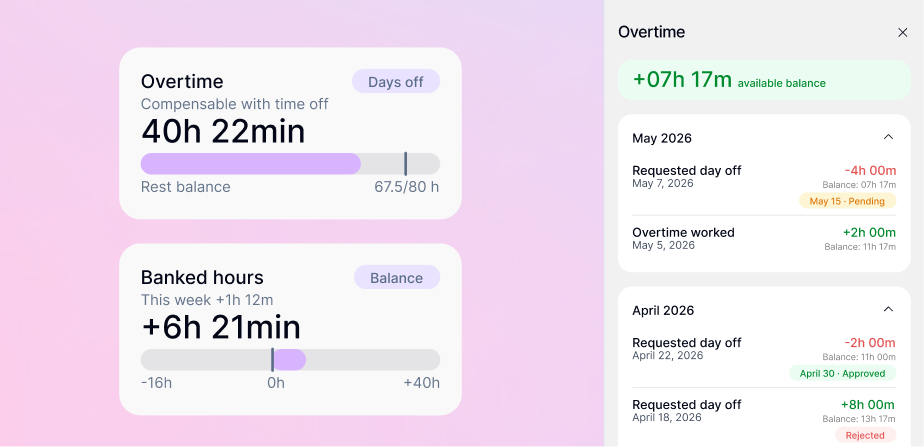
Extra hours now build up in an hours bank, and you decide what to do with them: add them to payroll or take them back as time off. Check your balance in real time and request time off using your banked hours.
You can now connect your AI assistant to Kinmu securely. Create personal access tokens and let your AI clock in, check your absences or prepare reports for you, always with your permission.
Billing now adapts to your country: prices in your currency with taxes already included. We've also redesigned the plan overview so you can see what you pay at a glance.
Kinmu now supports more languages: we've added Portuguese (Portugal and Brazil), Japanese, Dutch, Swedish and Latin American Spanish. Pick yours and work in the language you know best.
Get a weekly summary of your activity straight to your inbox, so you never lose track of your hours and your team. Turn it on or off whenever you want.
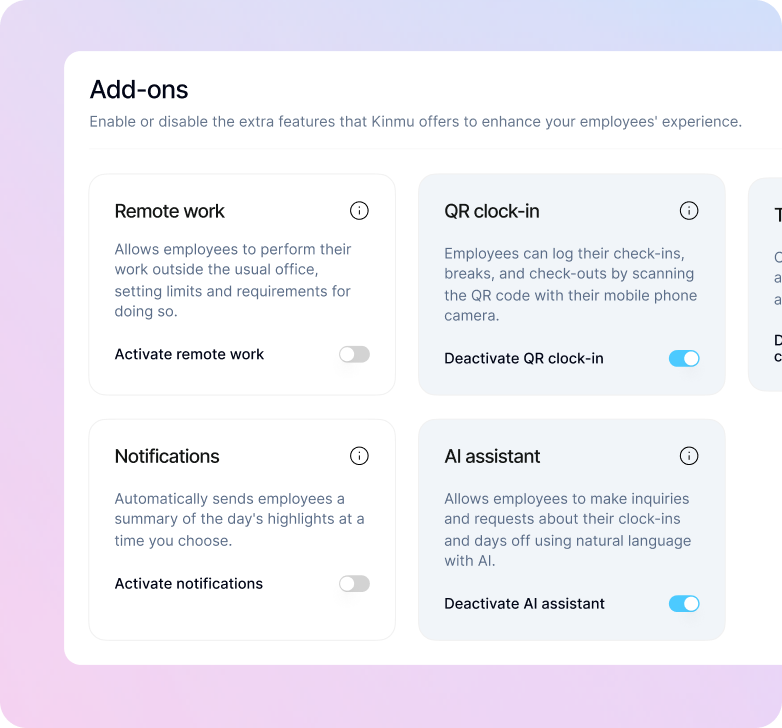
You can now choose which modules to use in your company, such as remote work, team calendar or QR clock-in. These features remain available, but you can enable them only when they fit the way you work.
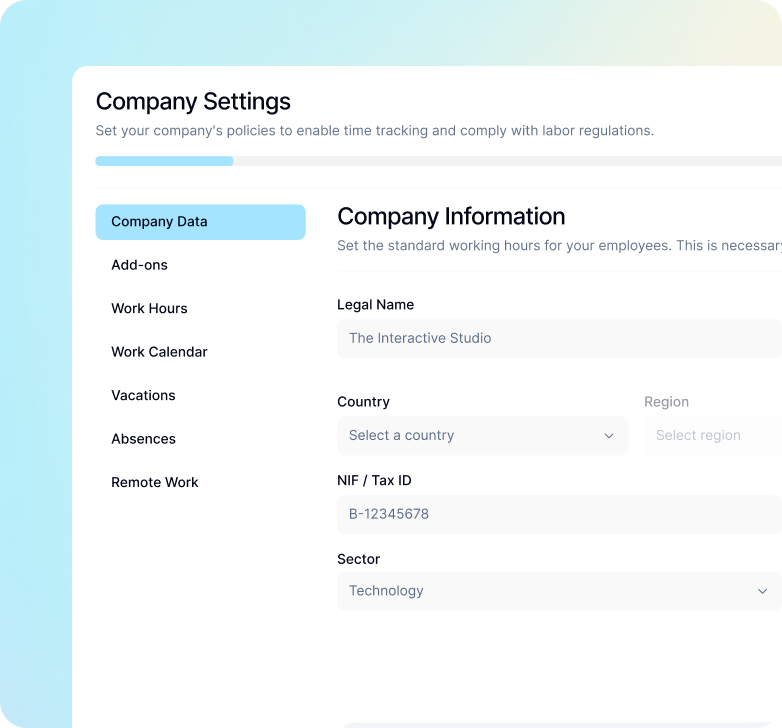
You can now configure different work schedule types, manage holidays with greater accuracy, create custom absences —also by the hour— and add public holidays based on your company location.
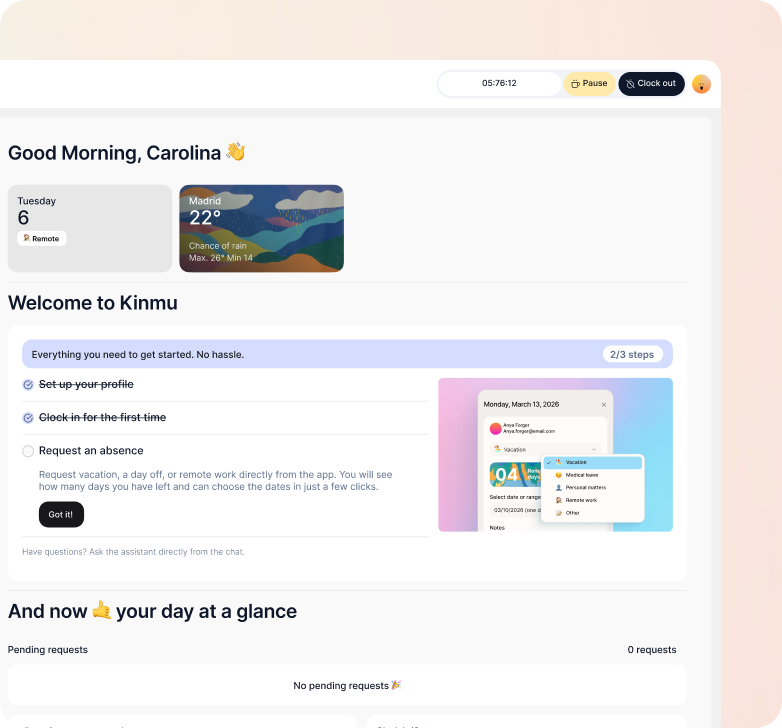
We've added an initial guide for employees and administrators, with the basic steps to set up the account, understand the main features and start using Kinmu with fewer doubts.
When an admin or manager manually adjusted vacation days, those changes were sometimes not correctly reflected. They are now preserved and won't be lost when other operations are performed on the platform.
The vacation balance now correctly counts working days when the company uses that calculation method. Days used are accurately reflected according to the configured policy.
You can now start, pause, and resume your workday more flexibly, with a clearer flow for recording breaks correctly.
We've added a more agile way to edit multiple clock-ins from previous days in a single view, saving you time on corrections.
We've reorganized pending tasks into a dedicated section so managers and employees can quickly find actions that need attention.
Managers can now review and validate weekly clock-ins faster, with a process designed to simplify team tracking.
The main clock-in screen now includes new weekly summaries and visual improvements to help you better understand your activity at a glance.
You can now download your records by selecting a specific period, making it easier to review or share your information.
The new dashboard widget gives you an instant overview of who has clocked in, who's on leave, and who hasn't started yet.