A QR time clock is a system that lets employees clock in and out by scanning a QR code with their smartphone or a shared device. When the code is scanned, the system automatically records the timestamp, the employee’s identity, and the location — no physical contact, no PIN to share, no paper to file. It is one of the simplest and most reliable ways to capture working time accurately, and it works for teams of any size, from a single-site office to a distributed workforce spread across multiple locations.
How QR Code Clocking Works
The process is straightforward by design. Here is what happens from the moment an employee starts their shift:
- A QR code is displayed or printed at the workplace — on a screen at the entrance, printed on a poster in the break room, or generated digitally within the time tracking app. Each code is unique to a specific location or shift.
- The employee opens their smartphone camera or the time tracking app and scans the QR code.
- The system verifies the scan in real time — confirming the employee’s identity (linked to their account) and logging the exact timestamp of the clock-in.
- The data is stored immediately in a centralised dashboard accessible to managers and HR teams. Clock-out follows the same process.
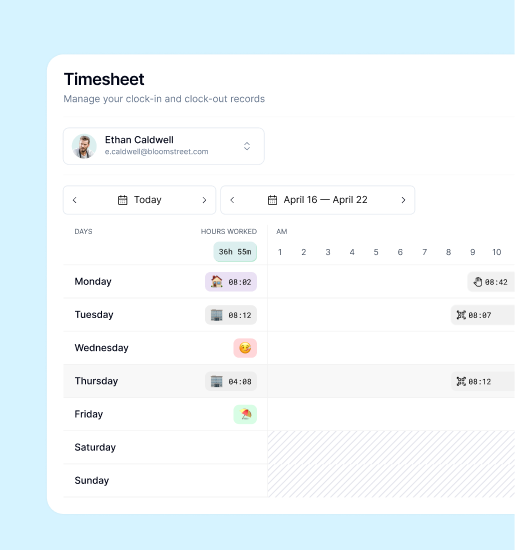
- The app generates attendance records automatically — working hours, lateness, early departures, and absences — without any manual data entry.
The entire process takes a few seconds. There is no card to forget, no terminal to queue at, and no system that can be fooled by a colleague clocking in on someone else’s behalf.
Key Benefits of QR Time Clocks for Businesses
Accuracy Without the Admin
Traditional time tracking methods — paper timesheets, punch cards, or verbal check-ins — depend on someone remembering correctly and then recording correctly. Both steps introduce error. QR code clocking eliminates the gap between the event (arriving at work) and the record of it. The timestamp is captured automatically the moment the scan occurs, with no transcription step in between.
For businesses that calculate pay based on hours worked, this accuracy has a direct financial impact. Even small errors — rounding, forgotten entries, late corrections — accumulate into meaningful discrepancies over time.
No More Buddy Punching
Buddy punching — where one employee clocks in on behalf of a colleague who has not yet arrived — is one of the most common forms of time theft in workplaces. Studies suggest it costs UK and US employers billions annually. With QR code clocking, each employee scans from their own smartphone, and the system can verify their identity through their account login. Some implementations add GPS location verification as an additional layer, confirming that the employee is physically present at the right site when they scan.
Contactless and Hygienic
Following the shift in expectations around shared surfaces during the pandemic years, contactless clocking has moved from a nice-to-have to a preferred default in many workplaces. QR code systems require no physical interaction with shared terminals, which is particularly relevant in food production, healthcare, retail, and any environment where hygiene standards apply.
Easy to Deploy Across Multiple Sites
A QR time clock requires no specialist hardware — just a QR code displayed where employees can scan it. For businesses operating from multiple locations, this means deploying a consistent clocking system across all sites without capital expenditure on physical terminals. A new site is up and running as soon as a QR code is generated and placed.
Works for Remote and Hybrid Teams
For employees working from home or client sites, a QR code can be generated per session or accessed within the app itself. Combined with GPS verification, this provides reliable attendance data for remote staff without requiring them to access a physical clock-in point — something that traditional time clocks simply cannot accommodate.
GDPR Compliance and Data Protection
For businesses operating in the UK and EU, data protection is not an optional consideration — it is a legal obligation. QR code clocking has several characteristics that make it well-aligned with GDPR requirements.
No Biometric Data Required
Unlike facial recognition terminals or fingerprint scanners, QR code clocking does not process biometric data. Biometric data is classified as a special category under GDPR, subject to significantly stricter rules including explicit consent requirements. By using QR codes tied to employee accounts rather than physical characteristics, businesses can achieve the same level of accuracy without entering that more sensitive regulatory territory.
Secure, Centralised Storage
Employee attendance records are personal data. GDPR requires that they are stored securely, retained only as long as necessary, and accessible only to those with a legitimate need. A well-implemented QR time clock system stores all records encrypted, with role-based access controls that ensure managers can only view data relevant to their team.
Data Minimisation in Practice
QR clocking captures what is strictly necessary — the employee’s identity, the timestamp, and optionally the location. It does not generate the kind of continuous surveillance data associated with more invasive monitoring methods. This aligns naturally with GDPR’s data minimisation principle, which requires that data collected is proportionate to the purpose.
Transparency with Employees
GDPR also requires that employees are informed about how their data is collected and used. QR time clock systems make this straightforward: the mechanism is visible, the data collected is limited and intuitive, and employees can typically access their own records directly through the app. There is no ambiguity about what is being tracked or why.
Where QR Time Clocks Work Best
QR code clocking is a flexible solution, but it delivers particular value in certain environments:
Offices and corporate sites A QR code at the entrance or at the desk replaces card swipe systems with something that requires no additional hardware beyond the employee’s own phone.
Retail and hospitality High staff turnover, shift-based patterns, and multiple locations make consistent, low-friction clocking essential. QR codes can be updated instantly — useful when shift patterns change or locations are reorganised.
Warehouses and logistics Environments where shared terminals can create queues at shift changeover benefit from a distributed approach. Employees can clock in from their own devices without bottlenecking at a single terminal.
Construction and field work Where employees begin work at site rather than an office, a QR code at the site entrance or within a project-specific app view provides verifiable clock-in data without requiring physical infrastructure.
Remote and hybrid workers For employees working from home, QR clocking within the app provides a consistent, auditable record of working time that integrates with the same system used by on-site colleagues.
How Kinmu Handles QR Code Clocking
Kinmu includes QR code clocking as a core feature of its time tracking platform. Each location or team can generate a unique QR code, which employees scan through the Kinmu app on their smartphone. Clock-in and clock-out data is captured instantly and appears in real time on the manager dashboard. Kinmu’s implementation is built with GDPR requirements in mind by default: data is stored on EU infrastructure, access is role-based, and employees can view their own attendance records at any time. For teams spread across multiple sites — or a mix of on-site and remote workers — Kinmu’s QR clocking provides a single, consistent system without requiring different tools for different working arrangements.
Make Every Minute Count
QR code clocking gives businesses a simple, accurate, and GDPR-friendly way to capture working time — without expensive hardware, without manual administration, and without the vulnerabilities that come with older systems. For teams spread across offices, retail sites, warehouses, or home offices, it provides a consistent experience that works on any smartphone and integrates directly with payroll and HR workflows.