
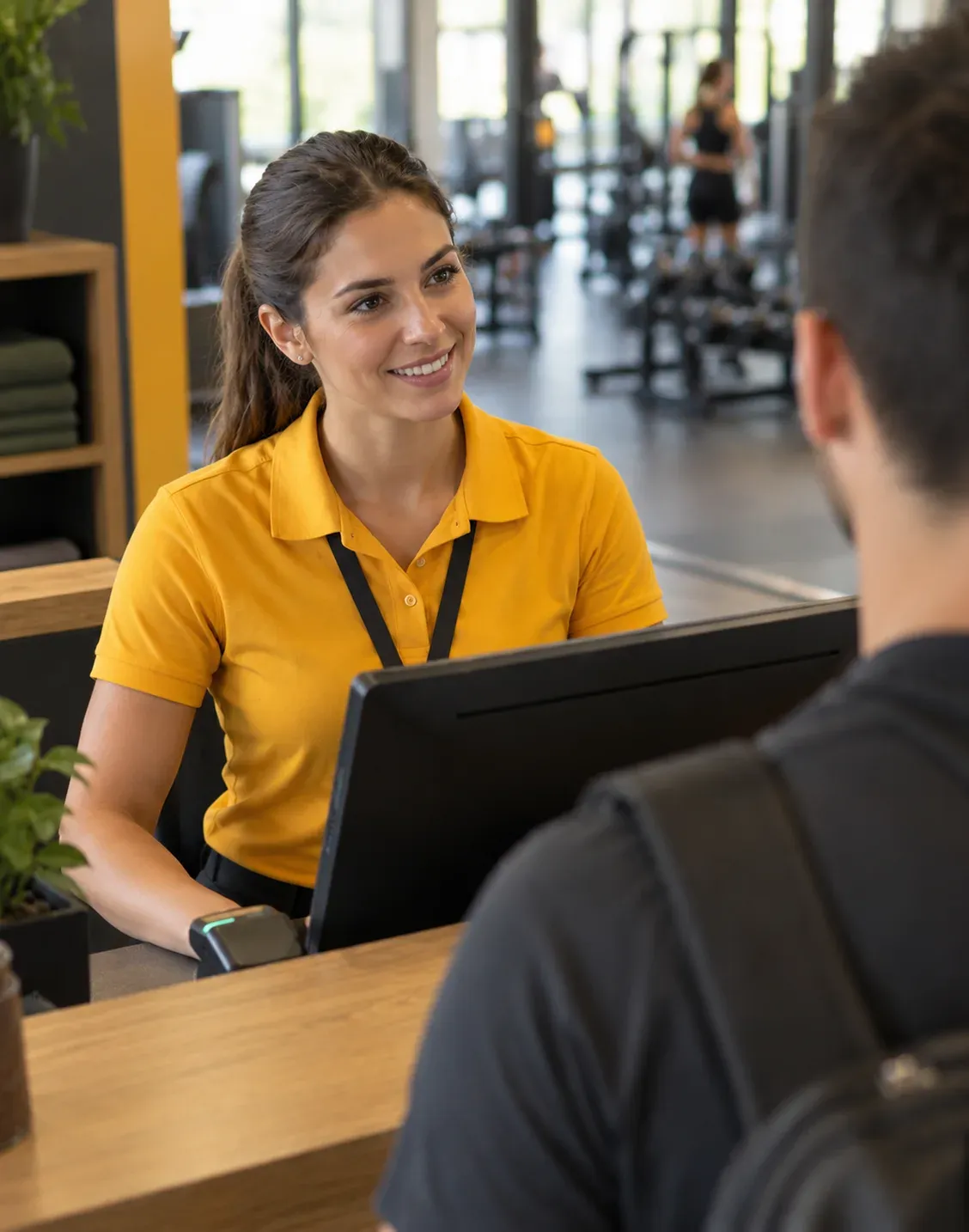
Front desk kiosk
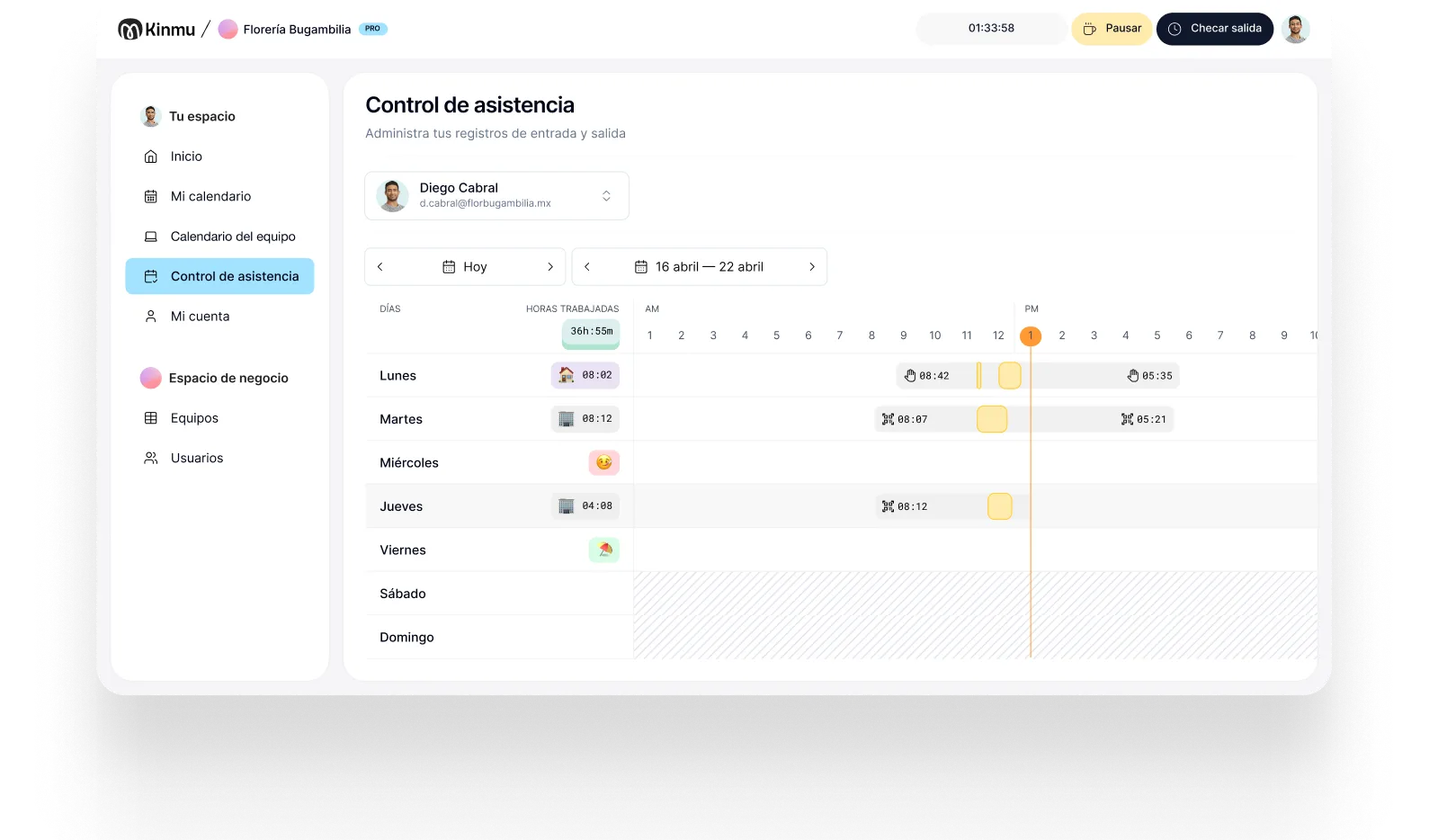
A clock-in point at the desk so the whole team can record their arrival without a line.

Gyms
At a gym, the team doesn't come and go at the same time. The front desk opens early, instructors arrive for their classes, and personal trainers work around their own schedule. Kinmu records every workday by QR code, kiosk, or app and brings all your locations together in one account.
Gyms, CrossFit boxes, yoga and Pilates studios, and sports centers share the same reality: they open early in the morning and close late at night, weekends included, and the work is split across group classes, one-to-one sessions, and floor shifts. The same team mixes full-time staff, instructors who only come in for a couple of hours a day, and trainers who manage their own calendar.
With that much variety, time tracking suffers. The front desk sign-in sheet is only half filled in, the instructor who teaches a class and leaves doesn't always note the time, and at month end someone has to match the class timetable against what everyone remembers. Add several locations and each one ends up keeping records its own way, so the picture is never complete or up to date.
Kinmu fits because it adapts to that rhythm without asking anyone to change how they work. Each person clocks in and out in seconds, each center runs as a location within the same account, and you only pay for people who are active. Time off, absences, and shift swaps sit in the same place as clock-ins, not scattered across messages and notes.
A clock-in point at the desk so the whole team can record their arrival without a line.

Put a QR code in the studio or the staff area and clock in from your phone in seconds.

Record short or split workdays, with several clock-ins and clock-outs on the same day.

Every center in the same account, with its own team and hours, at no extra cost.

Time off, absences, and shift swaps are requested in Kinmu, not in the team chat.
It's half past six and the receptionist is opening up. The first thing he does is clock in at the front desk kiosk. Shortly after, a personal trainer arrives for her first session of the day and records her start with the QR code in the studio. The indoor cycling instructor comes in for the nine o'clock class, leaves, and returns in the afternoon: both stretches are recorded without anyone writing them down.
At midday, an instructor lets the team know he can't take the afternoon class. The coordinator checks the team calendar to see who is available, arranges cover, and the absence is recorded in Kinmu. The stand-in clocks in on arrival, like any other day. Meanwhile, at another location, the cleaning staff finish the closing shift and clock out before leaving.
When it's time to review the month, hours are already sorted by person and by location. There's no need to match the class timetable against the front desk sheet or ask who covered what. If a clock-in is missing, Kinmu shows it and lets you correct it with a full history. The result: reliable data for payroll and a clear basis for planning schedules and classes.
Clock-ins, clock-outs, and breaks saved automatically.
Every correction stays documented in the history.
Records stay in the cloud for five years.
Varied, non-intrusive ways to clock in.
Kinmu works for independent gyms, studios, and chains with several locations, with no minimum users and no lock-in.
Only for whoever is active that month.
From a small studio to several locations.
Cancel whenever you like.
Open a new center and add it in minutes.
Account, locations, and schedules from the web.
A quick clock-in before every class.

Add each center, its team, and its opening hours.
A kiosk at the front desk, a QR code in the studio, or the app for people on the move.
Check workdays, missed clock-ins, and absences by person and by location.
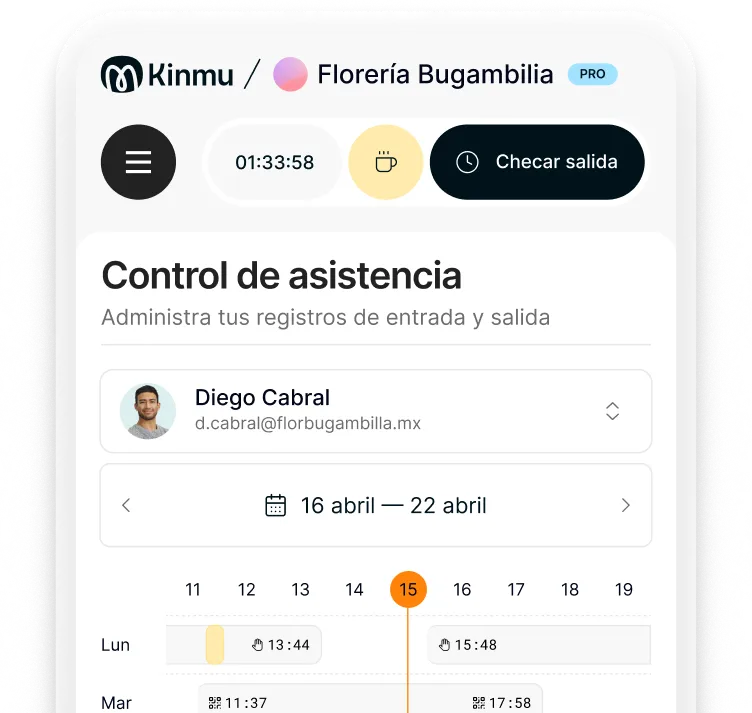
With the app or the QR code when they start and finish. Kinmu supports several clock-ins and clock-outs on the same day, so every stretch is recorded.
Yes. Each center is set up as a location at no extra cost, and you can check attendance and hours for each one separately.
They clock in and out at each center. All their records are gathered in their profile.
It's not required. The digital kiosk is an option if you want a shared point, but the team can also clock in with a QR code or from the app.
You only pay for people who are active each month. When an instructor stops coming in, you deactivate them and stop paying for them.
Yes. Kinmu has no minimum number of users, so it works just as well for two people as for a large team.
Requests are made in Kinmu and the team calendar shows who is available, so arranging cover is quicker.
Yes. Kinmu flags missing clock-ins and lets you correct them. Every change is saved in the history.
No. Kinmu uses non-intrusive methods like the app, QR codes, or the digital kiosk.
Yes. Kinmu generates time reports and lets you export records to Excel whenever you need them.