
How do I clock in and out?
Select Clock in in the top bar of Kinmu to start your day, pause for a break, resume work and clock out when you finish.
On this page
Step by step
- 0:02Track your workday in Kinmu
- 0:07Clock in for the day
- 0:12Start a break
- 0:16End your break
- 0:21Clock out for the day
- 0:25Check today's hours
- 0:30Fix a missed entry
- 0:34Your workday is recorded
Read the transcript
Starting work? Here's how to clock in, take breaks and clock out in Kinmu. Select Clock in in the top bar. The timer starts running.
Stopping for lunch or a break? Select Start break and the timer pauses. When you're back, select End break and your day picks up where you left off. When your workday is done, select Clock out. The timer stops. In Clock-in records, Your hours today shows the time you've recorded.
Forgot something? Open the day, change the time and apply the changes. Clock in, take a break, clock out. Your workday is recorded with no paperwork.
It's that simple. With Kinmu you clock your workday and your hours stay clear.
On the web
Start a break
Select Start break when you take a break.
After you select it: 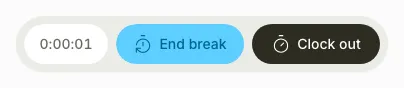
The timer pauses and the button changes to End break, which you can select when you return.
Clock out
On your phone, use the menu button to open the menu first.
When you finish work, select Clock out in the top bar.
After you select it: 
The timer stops and Clock in appears again. In Clock-in records, Your hours today shows the time you recorded.
To see the hours for the day, open Clock-in records.
If you don’t see it
- If you see “Manual clock-in not allowed” and “Your team requires you to use the QR code to clock in. Please scan the QR code at your location.”, use the QR code at your location.
Common questions
Can I correct a clock-in or a forgotten clock-out?
Open Clock-in records, open the day, change the time and select Apply changes. Correct an accidental clock-out.
Can I clock in from my phone or with a QR code?
Yes, you can clock in from your phone or scan your location’s QR code if your company has enabled that method.
Does Kinmu record my location when I clock in?
Only if your company enables this feature, Kinmu checks your location when you clock in, without background tracking.
Result
Your clock-in and clock-out appear in Clock-in records with your hours for the day.
Can't find it? Write to us