
How do I clock in at a shared kiosk?
On your company’s Kinmu kiosk, tap the screen, find your name, enter your personal PIN and tap Clock in.
On this page
On the web
Start on the kiosk
Tap the kiosk screen where it says “Tap the screen to clock in”.
After you tap it: 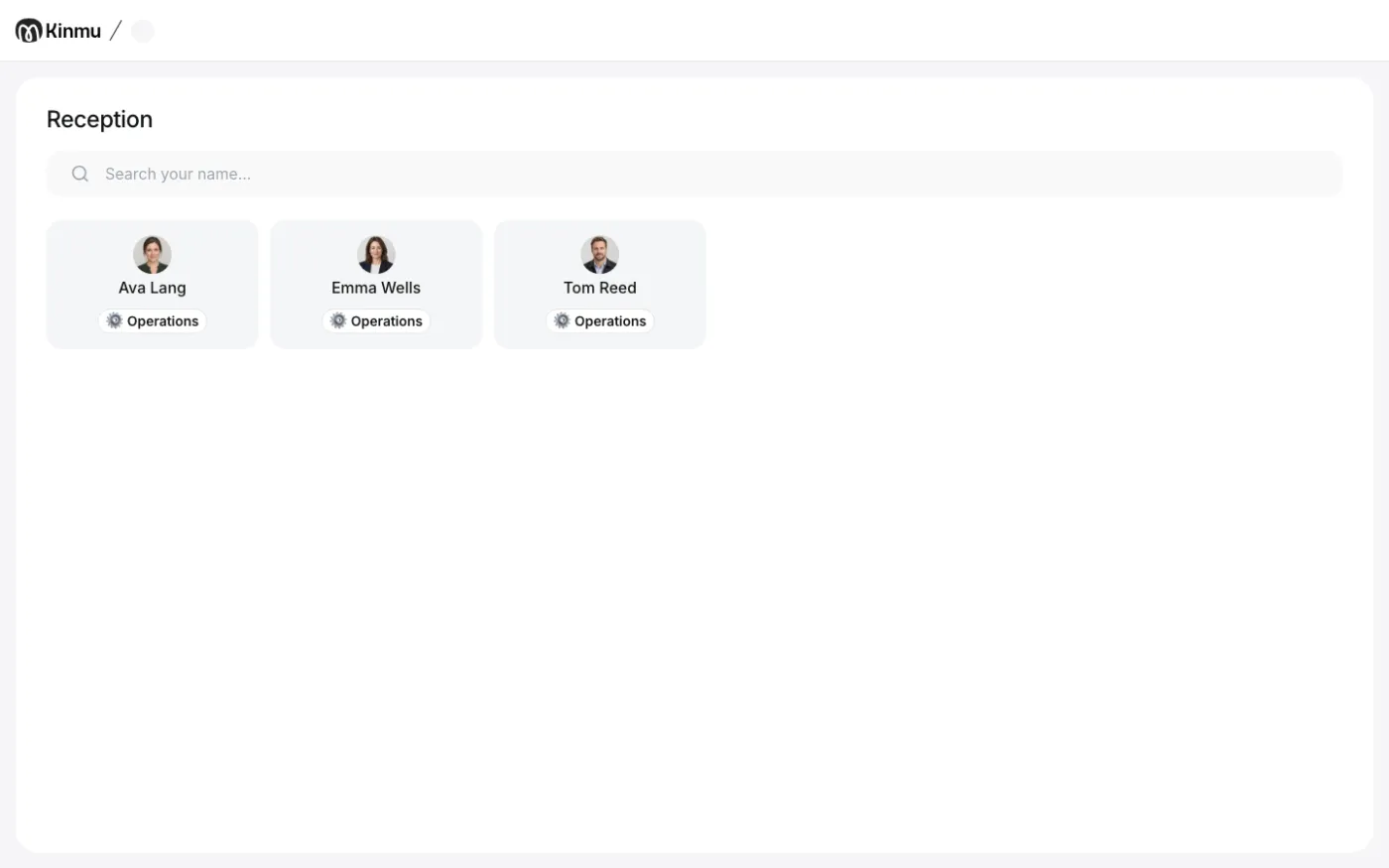
The list of people appears with the Search your name… search.
Find your name
Search for your name and tap it.
After you tap it: 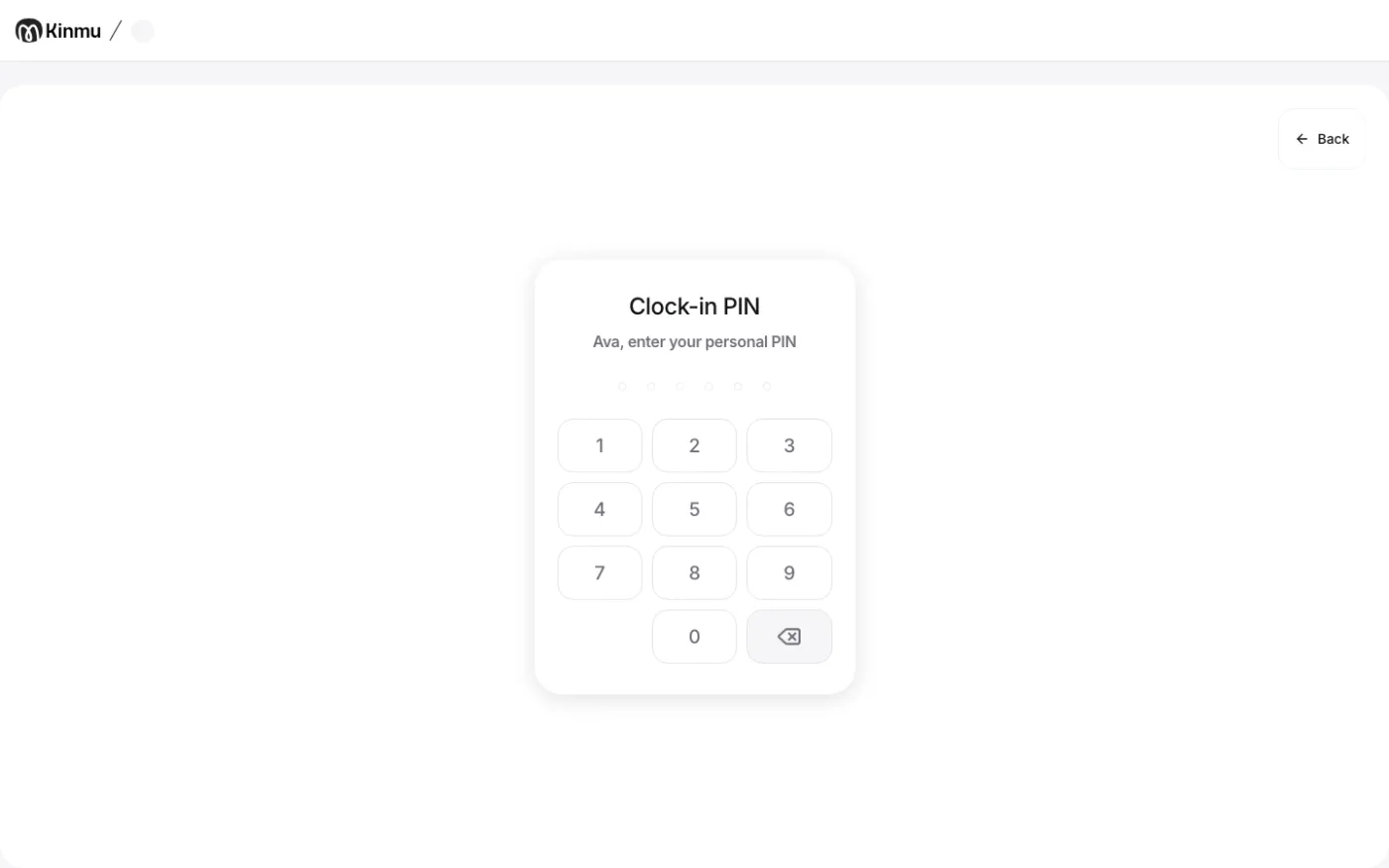
You see Clock-in PIN.
Enter your PIN
Type your 6-digit PIN.
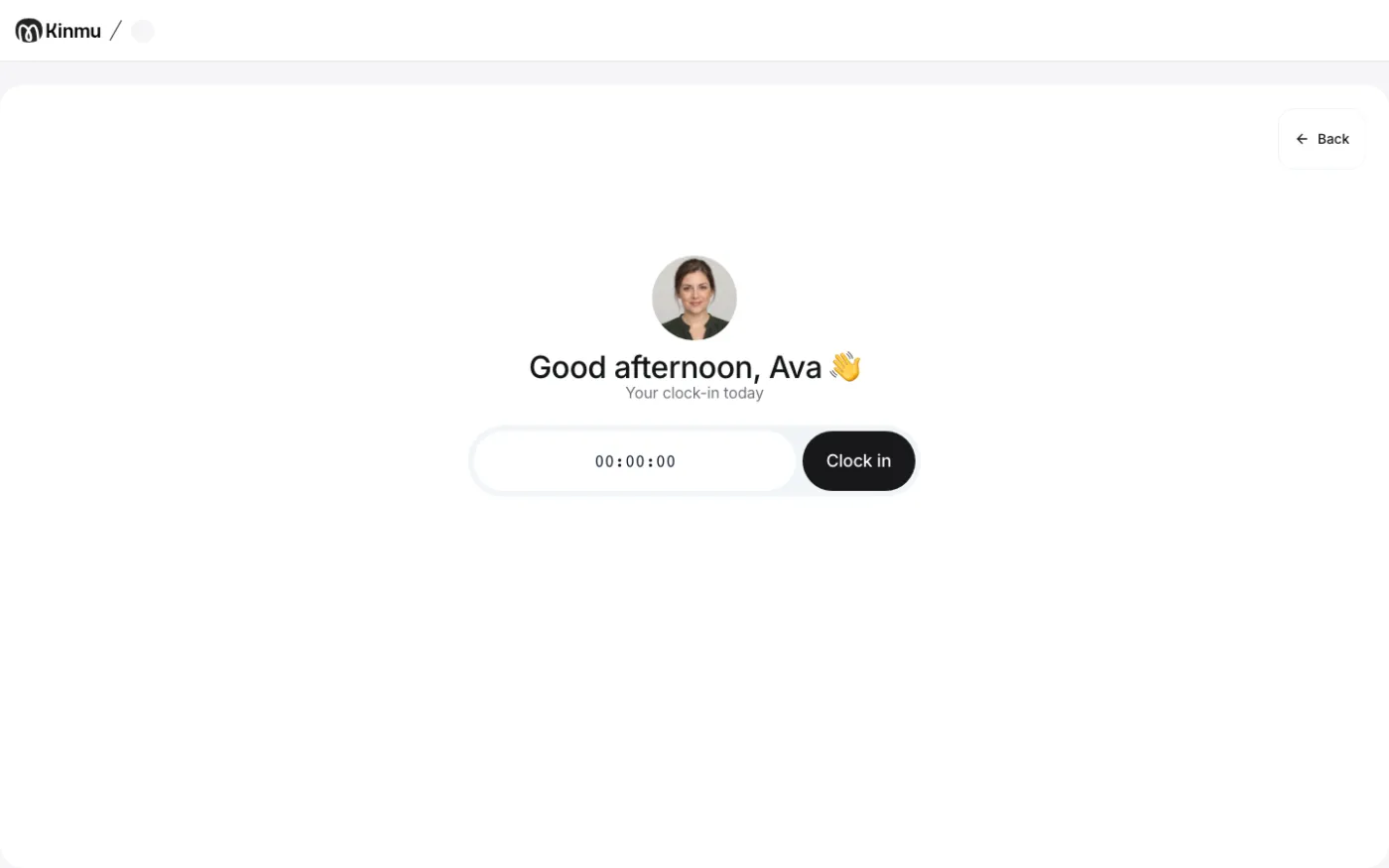
You see Your clock-in today with the clock-in buttons.
Clock in
Tap Clock in.
After you tap it: 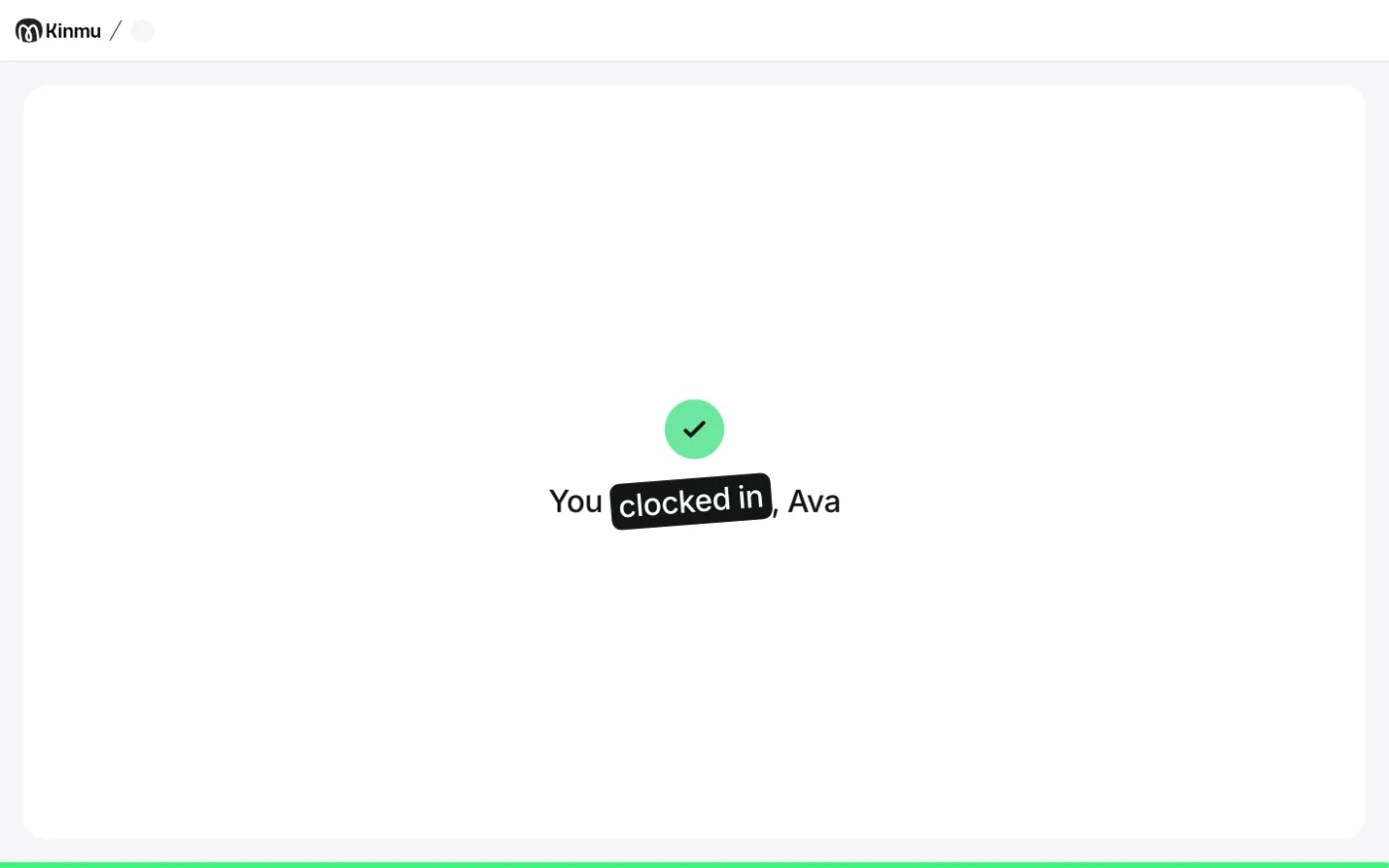
You see “Your clock-in has been clocked” followed by your name and the kiosk goes back to the start screen.
If you don’t see it
- If you see “The PIN entered is incorrect”, enter your PIN again or set a new one in your account.
- If you see “No results found”, ask your manager to add you to this kiosk.
- If the kiosk shows a QR code and “scan this QR with your phone to clock in”, scan it with your phone.
- If you see “This kiosk is temporarily paused.”, use another clock-in method or ask your manager.
Common questions
Where do I get my PIN?
In the Kinmu app, open My Account, go to Personal PIN settings, tap Set up PIN, enter 6 digits and tap Save changes. If your kiosk uses a code that changes, you see it on Home in Kiosk clock-in code. On the web, open My account and Personal PIN to set your PIN.
How do I take a break or clock out at the kiosk?
Repeat the same steps and tap Pause or Clock out.
Can other people see my records on the kiosk?
No. The kiosk only shows your record for today while you use it and goes back to the start screen after a few seconds.
Result
Your clock-in is recorded with the time you tapped, and the kiosk is ready for the next person.
Can't find it? Write to us