
I clocked out by mistake. How do I correct it?
Select Clock in again to keep recording, then open the day in Clock-in records and move the new clock-in time back to the moment you clocked out.
On this page
Step by step
- 0:02Fix an accidental clock-out
- 0:06Clock back in
- 0:11Clock out at day's end
- 0:15Open Clock-in records
- 0:22Open the day
- 0:28Expand the second entry
- 0:32Change the clock-in time
- 0:37Apply the changes
- 0:42Your hours add up again
Read the transcript
Hit Clock out by accident? No problem, you can fix it in a moment. First, select Clock in as soon as you notice. The timer starts running again. Keep working as usual. At the end of the day, clock out like always. Next, open Clock-in records. There you'll find your days for the week.
Select the row for that day. A panel opens with one time entry for each clock-in. Expand the second time entry to see its clock-in and clock-out times. Change its clock-in time to the moment you clocked out by mistake.
Select Apply changes. If your company reviews changes, your manager will approve it. And the gap is gone. Your hours count those minutes again.
So now you know. With Kinmu, a clock-out mistake takes a moment to fix.
On the web
Clock in again
Select Clock in in the top bar as soon as you notice.
After you select it: 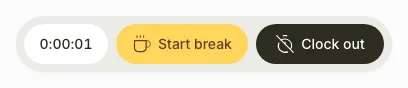
The timer starts running again.
Open the day
On your phone, use the menu button to open the menu first.
After you clock out at the end of the day, open Clock-in records Open in Kinmu and select today’s row.
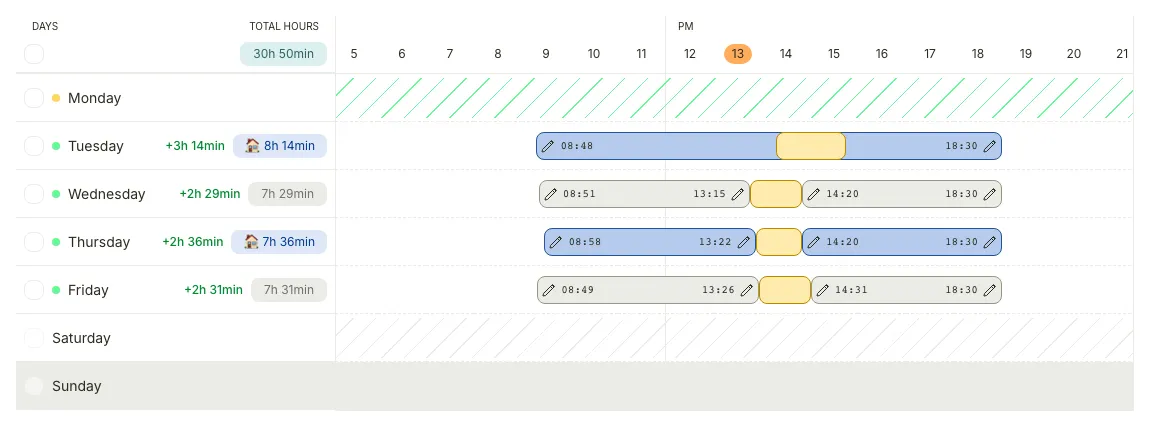
A side panel opens with one Time entry for each time you clocked in.
Open the second time entry
Select the second Time entry to expand it. You see its Clock in/out times.
Change the clock-in time
In the second Time entry, under Clock in/out, change the clock-in time to the time you clocked out by mistake.
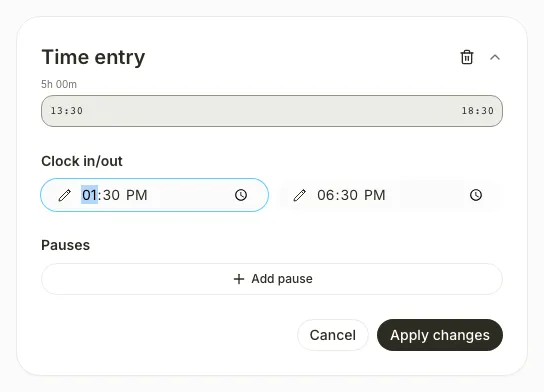
The new time appears and you see “This time entry has unsaved changes”.
Apply the changes
Select Apply changes.
After you select the button, you see “Changes saved successfully” or, if your company reviews changes, “Changes sent for approval”.
If you don’t see it
- You can’t edit a time entry that is still running. Clock out first, then open the day.
- If you see “This entry overlaps with another entry”, the new clock-in time is earlier than your previous clock-out. Use the same time or a later one.
Common questions
Can I undo a clock-out?
No. Clock in again and correct the time afterwards in Clock-in records.
Does my manager see the change?
If your company reviews changes, the day shows PENDING until your manager approves it. Every change appears in Logs history.
What if I forgot to clock in again?
Open that day later in Clock-in records and select Add entry to add the time you worked. You can do this for past days, not for today.
Result
The day shows no gap between your two time entries, and your hours include the minutes you had lost.
Can't find it? Write to us