
How do I see who is available on my team?
In Kinmu, open Team Calendar, filter by location and team, move to the dates you need and point at an absence to see its type, dates and status.
On this page
On the web
Open Team Calendar Open in Kinmu If your company uses Team calendar.
On your phone, use the menu button to open the menu first.
In the left menu.
You see one row per person and one column per day.
After you select it: 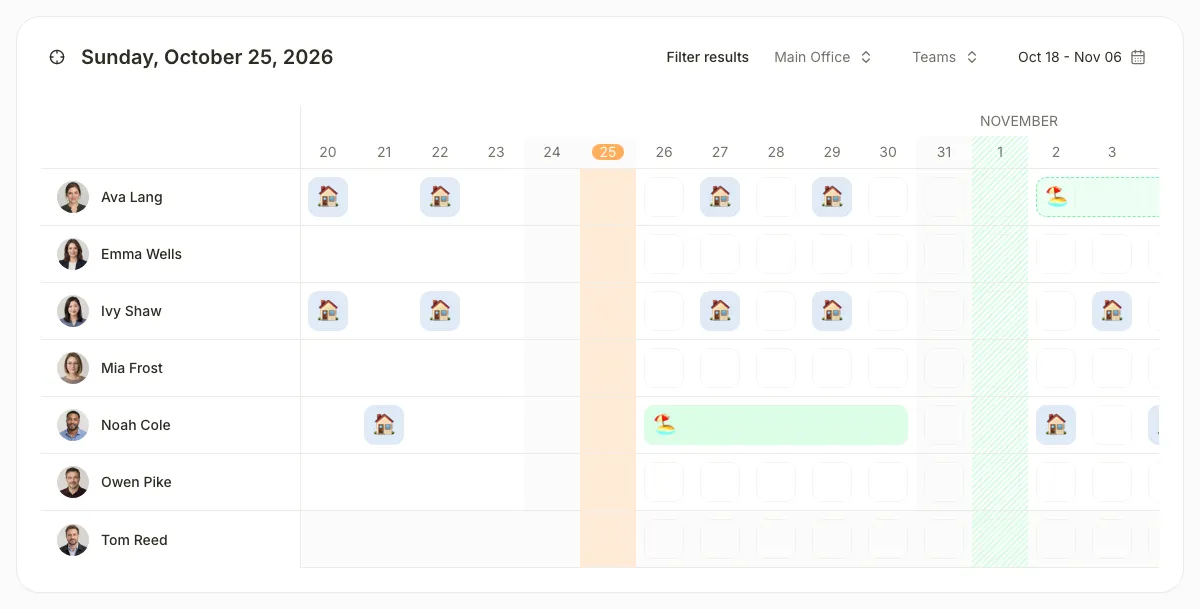
Filter by location and team
In Filter results, use the location selector. Select Teams to choose the teams you want to see.
After you select it: 
The calendar shows only the people in those locations and teams.
Go to the dates you need
Choose a range in the date picker or drag the calendar sideways. On mobile, confirm the range with Apply.
After you select it: 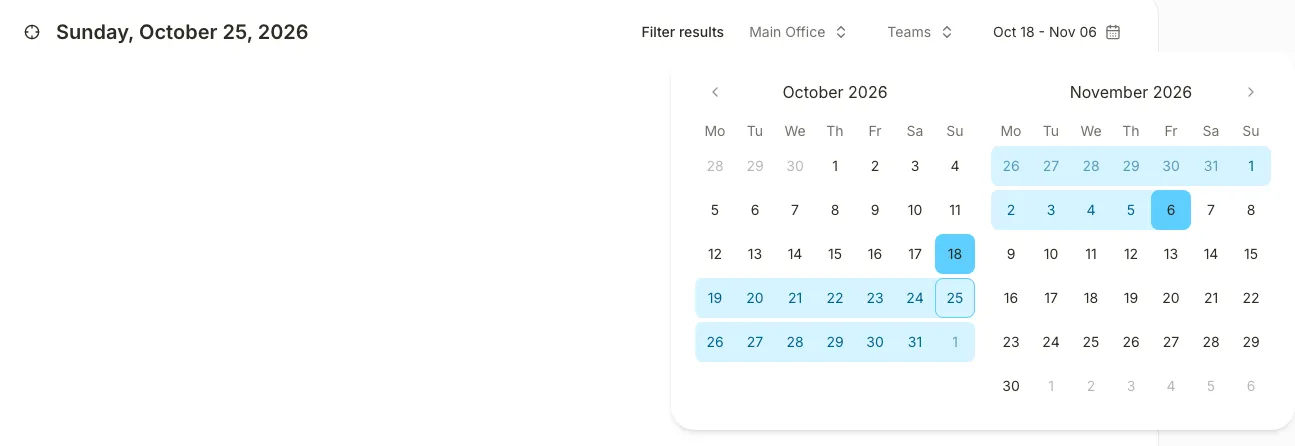
The columns show the days you chose. Weekends appear in grey and public holidays with a pattern.
Check an absence
Point at a coloured bar or a remote work icon to open its details. On mobile, tap the event.
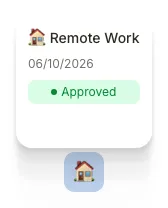
The details show whether the absence is Approved or Pending.
If you don’t see it
- Team Calendar needs the Team calendar extension, turned on in My company › Extensions.
- If you see “You don’t have access to the team calendar”, your role or your company’s settings don’t let you see it.
- If you see “No members to show”, no one matches the filters. Change the locations or teams.
Common questions
Can employees see the team calendar?
It depends on your company. The Team calendar extension controls whether employees can see it, and each location and team has a Team calendar visibility switch.
How do I approve an absence I see in the calendar?
Open My Tasks, go to Requests and resolve it there. How to resolve time-off requests.
Result
A person with no bar on a day that is not a holiday has no absence recorded for that day.
Can't find it? Write to us