
How do I manage my company's billing and plan?
In Kinmu, open Billing to see Your subscription, download invoices in Invoices and select Manage subscription to change the payment method or the plan in Stripe.
On this page
On the web
Open Billing Open in Kinmu
On your phone, use the menu button to open the menu first.
In the left menu, under Company space.
The billing page opens with Your subscription at the top.
Check your subscription
In Your subscription, look at Subscription status, Price per user, Billable users and Monthly cost.
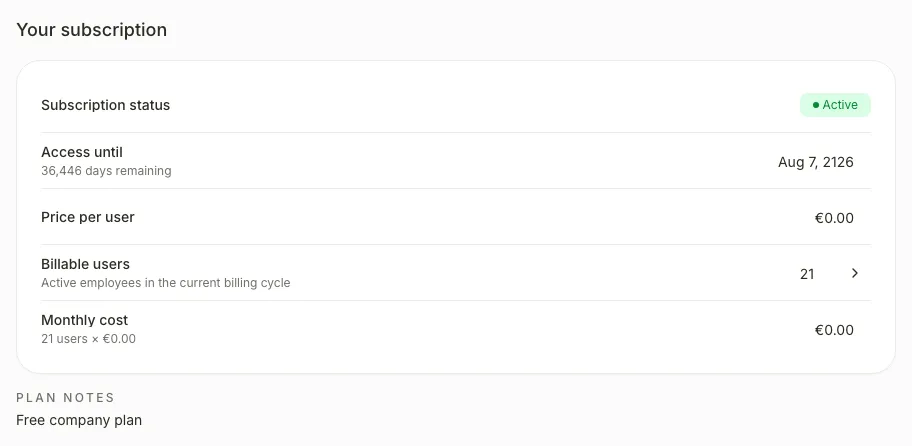
Select the number in Billable users to see the User changes that will be reflected on the next invoice.
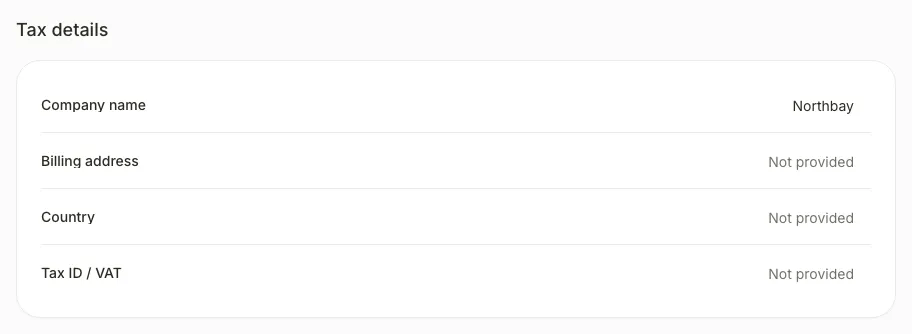
Tax details shows the company name, billing address, country and tax ID.
Download an invoice
If an invoice is available in Invoices, open its Actions and select PDF. If you see “No invoices generated yet.”, there is no invoice to download.

When you select PDF, the invoice opens in a new tab, ready to download.
Manage your subscription
Select Manage subscription to change the payment method or the plan.
The Stripe billing portal opens. When you finish, you see “Returning to Kinmu” and you are back in Billing.
If you don’t see it
- Required roles: Global Admin.
- The main button changes with the status. You see Activate subscription during the trial, Update payment method in the grace period and Resolve payment if the subscription is suspended.
- On a free plan there is no button, because there is nothing to bill.
- If you see “No invoices generated yet.”, no invoice has been issued yet.
Common questions
How do I change my company’s tax details?
In Tax details, select the field you want to change. Edit tax details opens. Make the change and select Save.
When are new and removed employees charged?
On the next invoice. Kinmu does not create immediate prorated charges or credits.
How do I cancel the subscription?
Select Cancel subscription and then Continue to Stripe. You keep access until the end of the period you have already paid for, and nothing is deleted.
Result
Your changes are applied in Stripe and Your subscription shows the updated status and cost.
Can't find it? Write to us