
How do I create a location and add people to it?
In Kinmu, open Locations, select Add new location, enter the name and address, save it and add people with Add Members in Location members.
On this page
On the web
Open Locations Open in Kinmu
On your phone, use the menu button to open the menu first.
In the left menu, under Company space.
After you select it: 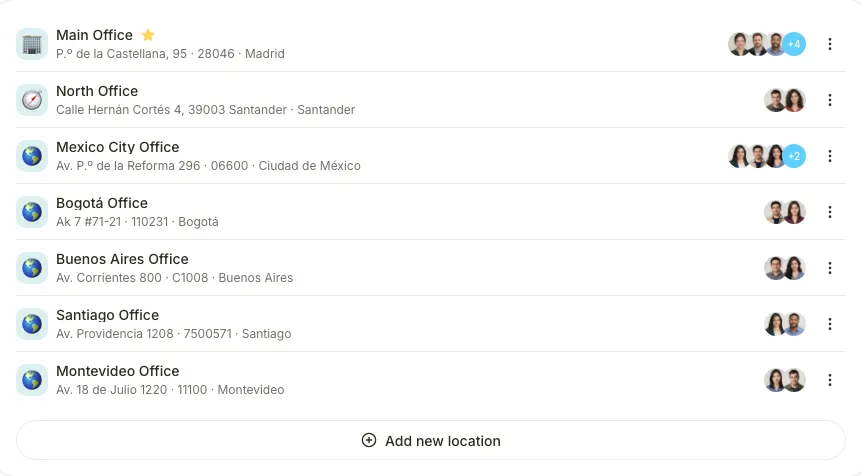
Start a new location
Select Add new location.
After you select it: 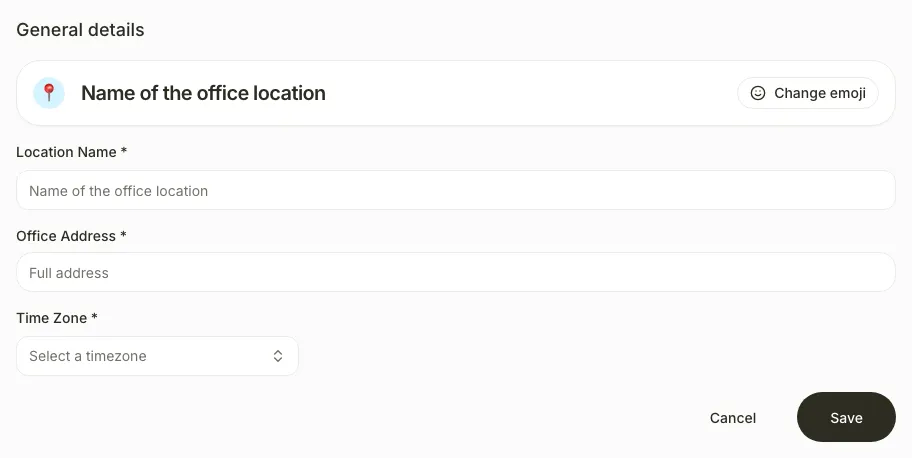
Complete the general details
In General details, complete Location Name and Office Address, and choose the address from the suggestions.
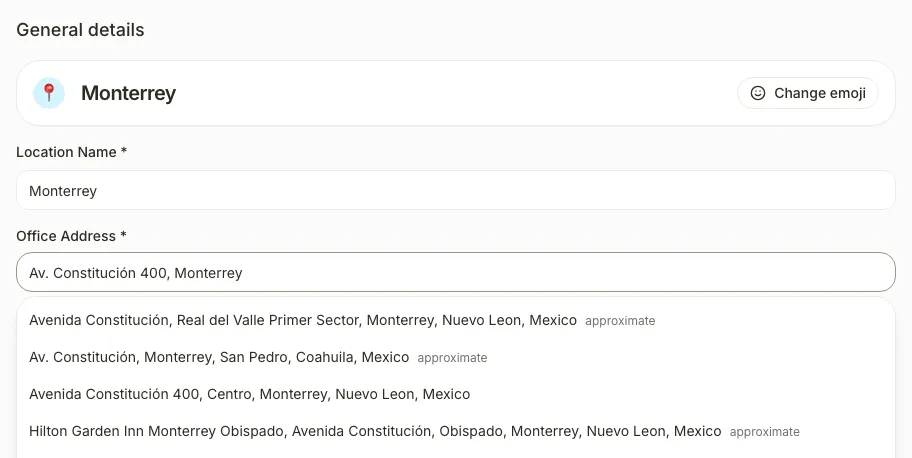
After you select it: 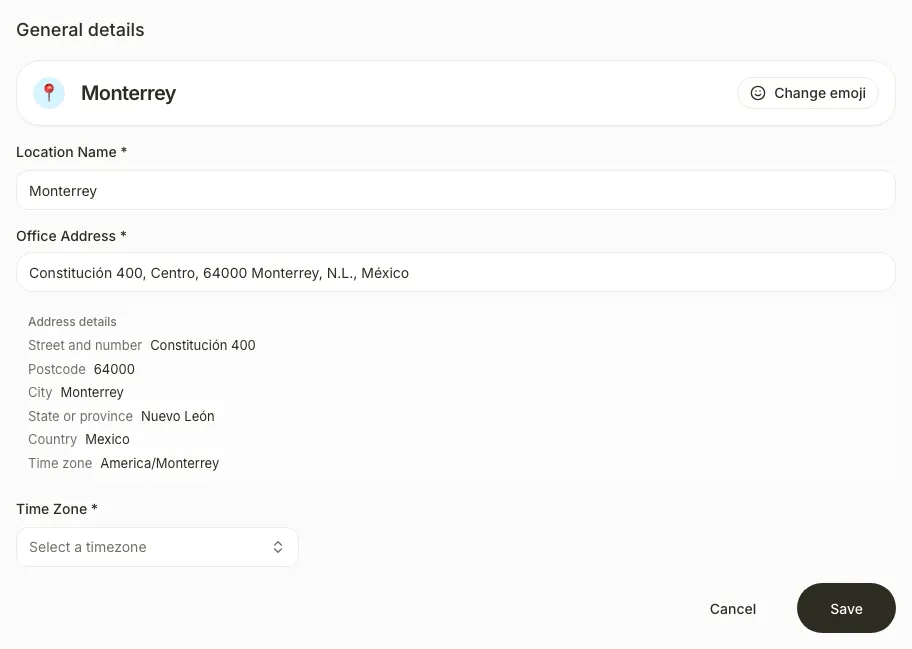
The selected address shows its details. Choose Time Zone if the field still says Select a timezone.
Save the location
Select Save.
After you select it: 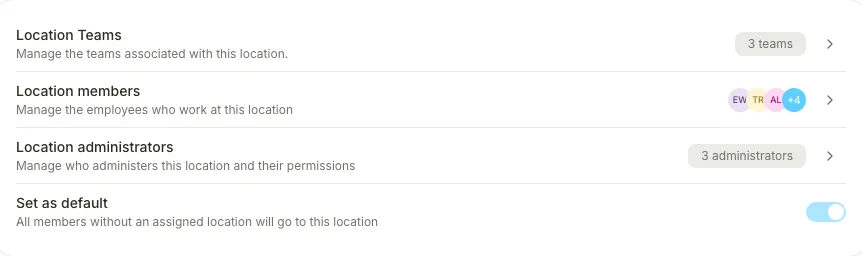
You see “Location created” and the location page opens with Location members.
Add the members
Open Location members, select Add Members, choose the people and select Add.
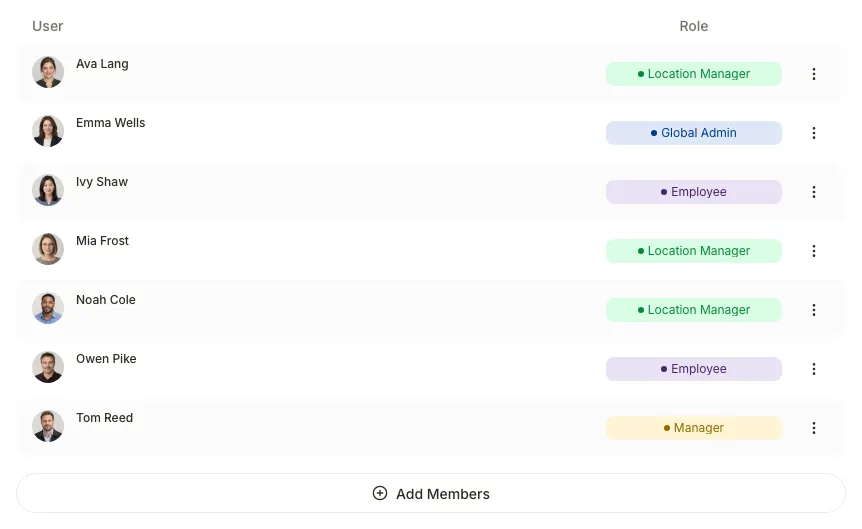
After you select it: 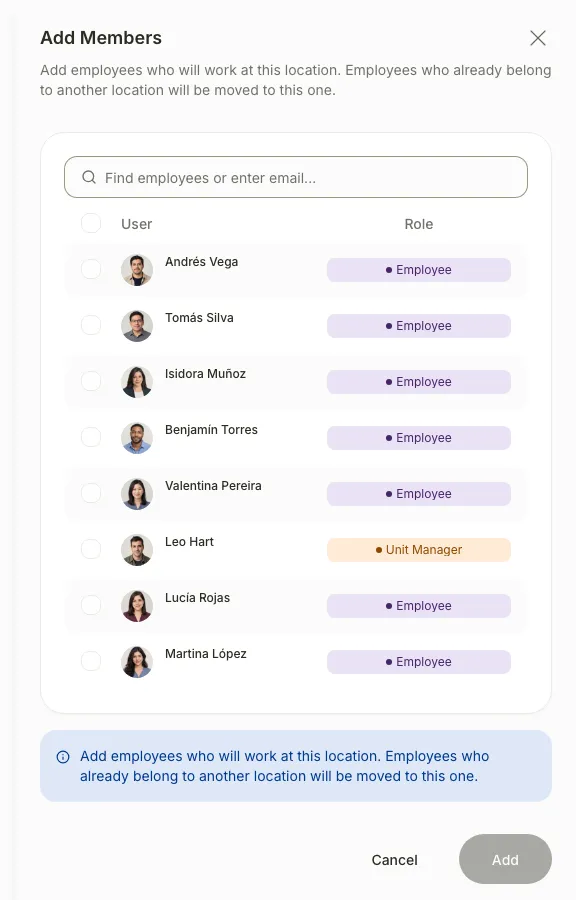
You see “Members added” and the people appear in the location.
If you don’t see it
- Only the Global Admin and Manager roles can create locations. The Location Manager role sees the list without Add new location.
- Location members appears only after you save the location.
- If you see “We couldn’t work out the country, region and city from this address”, fill them in by hand below the address.
- If a person “is still pending”, they haven’t accepted their invitation yet. Add them once they have an account.
Common questions
What happens if the person already belongs to another location?
They are moved to the new location when you add them.
Can I change one person’s location from their profile?
Yes. Open the person in Users and choose Assigned location under Professional information. The change is saved when selected.
How do I make it the default location?
Turn on Set as default in Settings. All members without an assigned location go to this location.
Result
The location appears in Locations with its members. In Users, the Location column shows each person’s location.
Can't find it? Write to us