
How do I ask the AI assistant about my team?
In Kinmu, open the chat with the Kinmu button, choose a question under For your team or type your own in Ask Kinmu… and send it. The chat always shows that you are talking to Kinmu's AI assistant.
On this page
On the web
Open the chat
Select the round Kinmu button at the bottom right of the screen, Open chat. On a wide screen the chat can also appear as a side panel.
The Kinmu chat opens with “Ready to help”.
Open in Kinmu If your company uses AI assistant. For managers with access to the assistant.Give your permission the first time
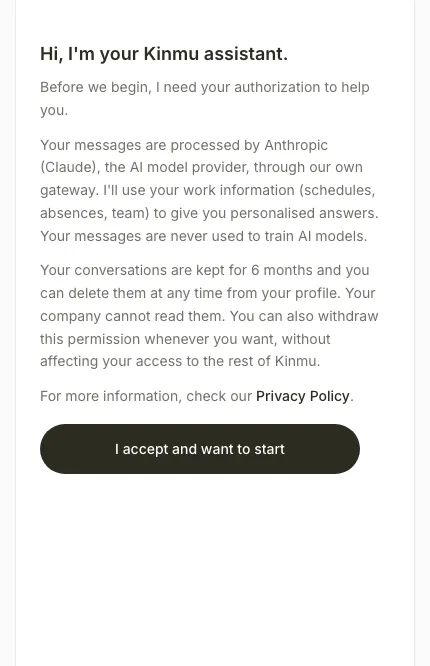
The first time, the chat explains how your messages are processed. Read it and select I accept and want to start.
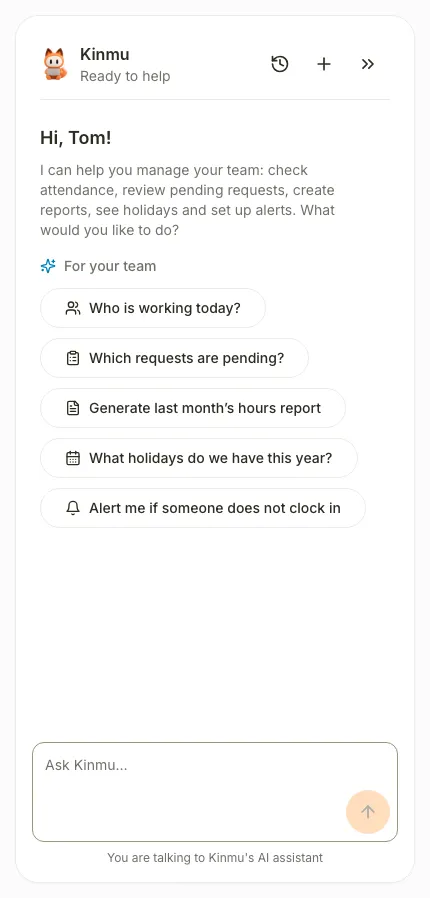
The welcome message and the suggested questions appear.
Choose a suggested question
Select a question under For your team. It is sent immediately and the answer appears in the conversation. The AI notice stays visible.
Ask your own question
To ask something else, type it in Ask Kinmu… and select Send message.
The answer appears in the conversation.
After you select it: 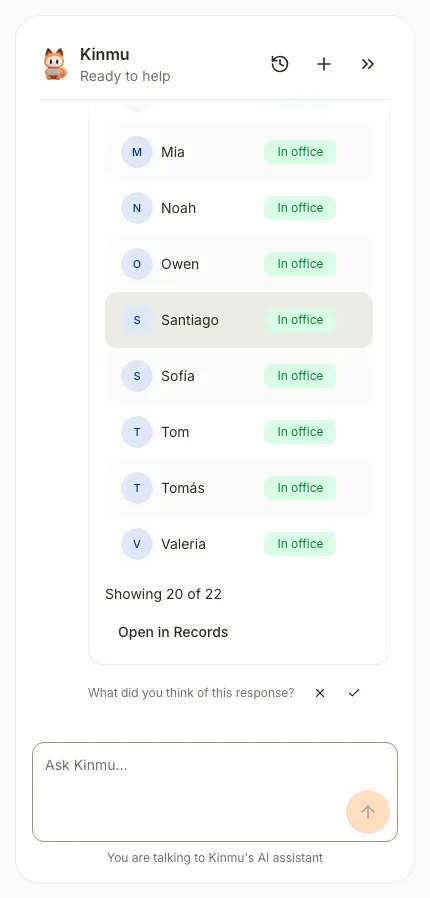
If you don’t see it
- The chat needs the AI assistant extension, turned on in My company › Extensions. Your company also decides who has access.
- For your team questions appear only when your company gives you access to the assistant as a manager.
- If you see “No credits this month”, your company has used this month’s credits. View credits takes you to Billing.
- If you see “I need your consent to use the AI assistant”, turn on AI Assistant in My account.
Common questions
Can the assistant make changes for me?
Yes, for some tasks. It always shows the change first and waits for your confirmation. You see “Waiting for your confirmation” until you confirm or cancel.
What happens to my conversations?
The permission screen explains it. Your messages are processed by Anthropic (Claude), the conversations are kept for 6 months and your company can’t read them. You can withdraw your permission from My account at any time.
How do I start a new conversation?
Select New conversation, the plus icon at the top of the chat. Your earlier conversations stay in History.
Result
You have the answer in the conversation. Check the key data in the app before you act on it, as the answers are generated by AI.
Can't find it? Write to us